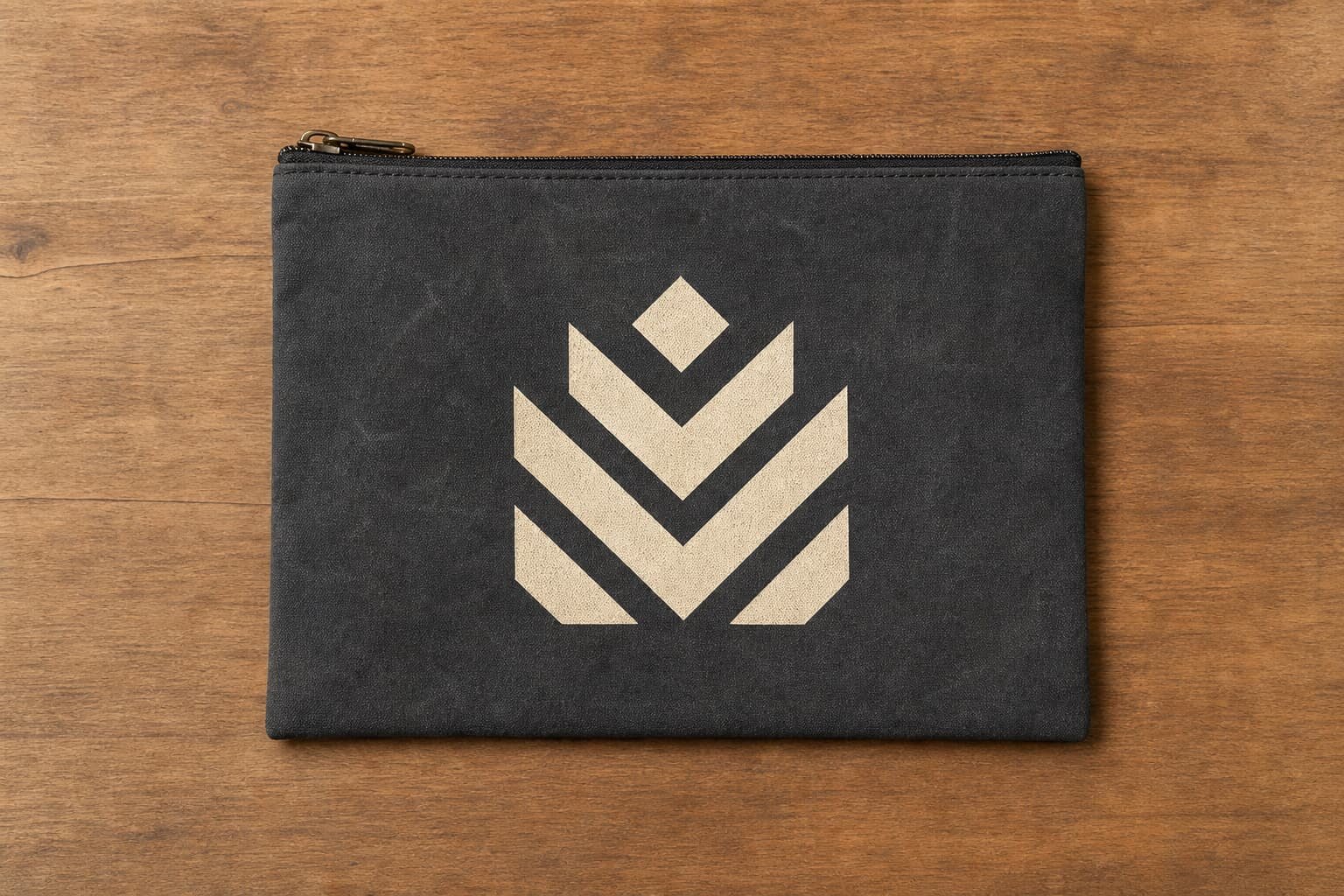
Why document bag logos fail in bulk orders
Most print durability complaints on zipper business bags do not start with bad ink alone. They start when the buyer approves a logo on the wrong fabric surface, places it too close to a stress point, or compares supplier quotes that describe only 'custom logo' without a method, curing standard, or packing detail. Document bags are handled differently from simple shopping totes. They are zipped, tucked under the arm, stacked in cartons, and often bent around files or tablets. That repeated panel flex is where weak print decisions show up fast.
For procurement teams, the main buying problem is not just getting a logo onto a bag. It is getting a logo that still looks acceptable after transport, distributor handling, and end-user use. The practical fix is to define durability through a few controllable variables: base fabric texture and weight, print method, artwork thickness, logo location, curing, and packing pressure. Once those are specified, supplier quotes become more comparable and sample approval becomes less subjective.
- Common failure modes: cracking on fold lines, poor opacity on dark fabric, rubbing off during transport, pinholes on textured fabric, and misalignment near zipper seams
- Highest-risk bag zones: front panels that flex over document corners, pockets stitched after printing, gusset folds, and areas directly below zipper tape
- Most common RFQ gap: buyers request a logo size and quantity but do not define print method, panel fabric, or durability check standard
Start with the bag structure, not the logo artwork
A durable logo begins with the construction of the document bag itself. On zipper business bags, the printable face may be a single front panel, a front pocket panel, or a laminated insert area. Each behaves differently under use. A flat front panel on 600D polyester usually gives better print consistency than a padded, quilted, or heavily textured pocket. If the logo is important to the brand presentation, the RFQ should specify which panel is the primary branding area and whether that panel must remain free of extra seams or quilting lines.
Fabric weight matters because the print sits on a moving surface. In practical sourcing terms, many office document bags are quoted in 300D, 420D, or 600D polyester, while canvas business document bags may sit around 340 to 450 GSM, roughly 12oz to 16oz depending on finishing. Lighter fabrics can wrinkle under the squeegee or heat press, which makes edges uneven. Very rough or heavily slubbed canvas can make a sharp corporate logo look broken even if the ink is technically adhered. The bag spec should support the print, not fight it.
- For clean printed logos, ask for a smooth printable panel rather than highly textured melange, washed canvas, or deep-grain jute-like surfaces
- A practical business bag range is polyester 300D to 600D or canvas 340 to 450 GSM for stable logo presentation
- If the bag includes foam padding, ask whether the front panel is printed before assembly and whether padding changes print flatness
Choose the print method by use pattern, not by habit
Silk screen printing is still the default choice for many document bags because it handles simple logos well, scales efficiently for bulk, and usually gives the most predictable cost structure for one-color or two-color branding. On smooth polyester or canvas, a properly cured screen print can perform well for distributor programs and retail promotions. It is especially suitable when the logo is a solid shape rather than a photographic or gradient graphic.
Heat transfer can look sharper for fine detail or multicolor artwork, but buyers should not assume all transfer prints are equal. The film quality, adhesive layer, press temperature, and cooling process all affect cracking and edge lift. Transfer is often more sensitive on bag fronts that bend around contents. For premium brands, woven labels or sewn side labels can outperform print for long-term appearance, but they change the visual style and may not meet the requirement for a large front-facing logo. The right decision depends on artwork detail, bag fabric, and how much panel flex the product sees in real use.
- Best use for screen print: simple one-color or two-color logos, medium to large logo size, flat front panel
- Best use for transfer: fine detail, multiple colors, smaller runs where screen setup is inefficient
- Best use for woven label: long-term logo neatness when a large printed graphic is not required
- Ask the factory to explain why the quoted method fits your artwork instead of accepting the cheapest method by default
Define artwork limits that factories can actually hold
Many durability complaints are really artwork-spec problems. Thin lines, tiny reversed text, and oversized solid blocks all create avoidable risk on soft goods. A document bag is not a rigid gift box. Fabric has texture, stretch, and sewing distortion. If the logo includes ultra-thin elements, the buyer should either thicken them for production or move to a different application such as a woven label or embroidered patch. That is not a design compromise; it is a manufacturing adjustment that improves repeatability across thousands of units.
A useful RFQ includes minimum line width, minimum negative space, target logo size in millimeters, and approved color references. On dark bags, white and light inks need opacity checks because a weak underbase can make the logo look faded from day one. On heather or coated fabrics, the same Pantone can read differently than on plain cotton canvas. If color matters, ask for a strike-off or printed lab dip style approval on the actual bag material.
- Practical artwork baseline: 0.6mm minimum positive line, 0.8mm minimum reversed gap, larger if fabric texture is rough
- Avoid very large solid ink blocks on flex zones because thick deposits crack sooner than smaller logo marks
- Ask for logo size in millimeters, not just 'small', 'medium', or 'standard front print'
- For dark bags, specify whether an opaque underbase is required for white or light-color print
Set realistic MOQ logic before comparing quotes
MOQ for printed document bags is not only about the bag. It is also about setup efficiency. A one-color screen print on a standard 600D document bag may support a lower MOQ than a mixed requirement with custom woven label, transfer print, special inner lining, and individual retail inserts. Buyers often compare unit prices without noticing that one factory has included multiple setup costs while another has hidden them in a higher ex-works price. That makes one quote look expensive when it may actually be more complete.
For cleaner comparison, request a cost structure that separates the blank bag cost, logo setup, sample charge, print run surcharge for extra colors, and packing upgrade. Even if the factory does not give a full open-book breakdown, asking for these buckets forces more disciplined quoting. It also helps procurement teams model future repeat orders, where setup charges may drop but fabric or labor may move.
- Lower MOQ usually fits: stock fabric colors, one print location, one logo color, standard polybag packing
- Higher MOQ usually applies when you add: custom dyed fabric, transfer print, woven label, branded hangtag, or retail carton
- Request quote assumptions clearly: quantity per color, per logo artwork, per size, and whether repeat setup is charged
- If two suppliers quote similar prices but one includes sample revision and packing protection, the cheaper quote may not stay cheaper at shipment stage
Use pre-production samples to test the right failure points
A sample should answer one question: will this logo survive normal business bag handling at the approved appearance level? Too many buyers approve a sample because the print looks clean when new, then discover problems after bags are packed tightly or used with documents inside. The sample review should therefore include simple abuse checks that match use. Rub the print dry with firm pressure. Try a light damp rub if the bag may be exposed to moisture. Bend the panel where documents would naturally push against it. Open and close the zipper while the bag is filled. Look at the print again under daylight.
If the bag will be sold through distributors or retail channels, check not just durability but visual consistency. Some print methods survive physically but still look poor because edges are fuzzy, the white is translucent, or the panel wrinkles under the logo. A strong pre-production sample approval sheet saves time later because it gives the factory objective points to match during bulk production instead of relying on memory or chat screenshots.
- Sample checks to request: dry rub, light damp rub, repeated fold over natural use line, zipper use with filled bag, carton compression simulation
- Review both close-up appearance and full-bag appearance because small defects may be acceptable or unacceptable depending on logo size and placement
- Keep the signed sample with notes on placement, color density, and acceptable edge sharpness for later inspection reference
Write acceptance criteria that prevent arguments after shipment
Durability is hard to enforce if the purchase order only says 'logo as approved sample'. A better approach is to define acceptance criteria in plain sourcing language. For example, the printed logo should show no obvious cracking after repeated manual folding on the natural front panel bend line, no major color show-through from dark fabric, and no visible offset transfer onto adjacent bags after packed transit simulation. These are not lab claims; they are practical acceptance checks that a factory QC team and buyer inspector can both understand.
You should also define what level of variation is acceptable in bulk. A fabric product will never deliver packaging-grade perfection on every unit, so avoid unrealistic wording. Instead, focus on what affects resale or brand use: print placement tolerance, color consistency relative to the approved sample, edge cleanliness, and resistance to obvious rub-off. If you want stricter standards, say so before production, because high-opacity white on dark 600D polyester may require different ink loading, slower curing control, and sometimes a higher rejection rate.
- Placement tolerance example: plus or minus 3mm to 5mm from approved location depending on bag size and panel registration method
- Appearance standard example: no missing print on key logo strokes, no heavy smearing, no exposed pinholes visible at normal viewing distance
- Handling standard example: no visible sticking or ink transfer after individual packing and carton compression check
- Use the approved pre-production sample as the visual benchmark, but add written criteria for rub, fold, and opacity checks
Do not ignore packing if logo durability matters
A good print can still arrive looking bad if the bags are packed aggressively. This is common on dark document bags with white logos, where friction and compression mark the print surface. Buyers often focus on fabric and ink, then accept the cheapest packing method. For document bags, the packing decision should consider whether the front logo sits against another bag, whether zippers or handles rub the logo in transit, and whether hot weather could make fresh print surfaces tacky under pressure.
Simple packing upgrades can prevent avoidable claims. Individual polybags help, but the bag orientation inside the carton also matters. If all printed fronts are stacked face-to-face under compression, rubbing risk increases. Tissue or thin separator sheets may help on delicate print surfaces, especially during long sea transit. Carton count should also match bag structure. Overfilled cartons save freight space but can deform front panels and stress prints around document corners or zipper ends.
- Ask whether bags are packed flat, side-facing, or alternating front and back to reduce print-to-print contact
- For white print on dark fabric, consider individual polybagging plus orientation control inside the export carton
- Request carton dimensions and quantity per carton, not just total carton count
- If print is fresh or high-build, ask whether bags rest after printing before bulk packing
Compare lead time by process stage, not one total number
Lead time for a printed zipper business bag usually breaks into several stages: artwork review, print method confirmation, sample making, sample revision if needed, material preparation, bulk printing, sewing, packing, and final inspection. A short total lead time can look attractive, but if the factory compresses sample approval or curing time, print durability risk goes up. Buyers should ask which stage is critical and whether logo printing happens before or after most sewing operations.
A more useful quote states timing from artwork approval and pre-production sample sign-off. This matters because delays are often caused by unclear logo files, color ambiguity, or changed placement after the first sample. If your buying calendar is tight, the solution is not just asking for faster delivery. It is locking the artwork, color reference, and panel placement early so the factory does not have to remake screens or repeat sample work.
- Typical lead time drivers: custom fabric procurement, print screen setup, transfer sourcing, sample revision rounds, and packing complexity
- Ask for timeline by stage: sample days, bulk production days, and packing days after sample approval
- Confirm whether repeat orders with the same logo can reuse screens or setup files to save time and cost
- Do not compare lead times unless the sample standard and packing requirement are the same across suppliers
Build a quote sheet that makes suppliers easier to compare
If your team sources document bags from several factories, create a quote sheet that forces each supplier to answer the same durability-related fields. The most useful fields are the bag body fabric and weight, print method, logo size, print colors, sample fee, MOQ, production lead time, packing method, and any recommended caution about artwork or panel location. This is where a sales engineer style supplier is worth more than a cheap yes-everything quote. A factory that flags a risk early often saves the order.
You do not need a complex template. A disciplined RFQ with clear durability checkpoints is enough to separate serious manufacturers from traders passing along generic answers. When a supplier explains that your logo is too close to the zipper seam, or that your chosen coated fabric may reject a specific ink, that is commercially useful information. It helps you improve the spec before you commit bulk funds.
- Useful quote fields: material, GSM or denier, print method, logo dimensions, placement tolerance, sample timing, MOQ, packing, carton quantity, and QC checks
- Ask each supplier to recommend one change that would improve print durability without changing the overall bag concept
- Treat vague wording like 'best quality print' or 'durable logo' as incomplete until the method and test checks are stated
Specification comparison for buyers
| Spec decision | Recommended option | When it fits | Buyer risk to check |
|---|---|---|---|
| Base fabric for printed logo panel | 300D to 600D polyester with smooth coating or 12oz to 16oz canvas | Standard document bags, conference bags, office carry cases | Rough texture, heavy slub, or loose weave can break thin print lines and reduce edge sharpness |
| Fabric weight target | Polyester 300D to 600D; canvas 340 to 450 GSM | Best balance of structure, cost, and print stability | Too light a body fabric can wrinkle under print; too heavy or highly textured fabric can lower print adhesion and detail |
| Logo print method | Silk screen print for solid logos; heat transfer only for fine multicolor artwork | Simple one or two color brand marks on bulk runs | Transfer film quality varies widely; low-grade films crack faster on fold lines and zipper stress areas |
| Logo location | Front panel center or lower front pocket area away from zipper seam | Most document bags with flat printable face | Print too close to seams, piping, gusset folds, or pocket edges can distort during stitching and packing |
| Artwork line thickness | Minimum 0.6mm positive line and 0.8mm reversed gap | Small and medium logos for office bag fronts | Thin details fill in on textured fabric and break down first in abrasion use |
| Color choice on dark bags | White, silver, or Pantone-matched opaque ink with underbase if needed | Black, navy, charcoal, and heather business bags | Without opacity check, dark body color shows through and makes logo look weak after first use |
| MOQ logic by print setup | Lower MOQ for one-color screen print; higher MOQ for transfer or custom label combinations | Buyers balancing sample speed and cost | Mixed logo applications can trigger separate setup fees and longer pre-production approval |
| Durability approval standard | Approve against rub test, fold test, tape adhesion check, and visual consistency standard | Bulk buyers who need comparable supplier quotes | If the quote only says 'custom logo' with no test or appearance criteria, disputes are likely after shipment |
Buyer checklist before sampling
- State the exact bag use: office document carry, trade show handout bag, laptop paper file bag, or distributor promotional program, because print durability expectations differ by use cycle.
- Specify base material and weight in the RFQ, such as 600D polyester or 14oz canvas, instead of asking for 'standard fabric'.
- Confirm logo size, print position, and distance from seams, zipper tape, pockets, and folds to avoid distortion during stitching and daily opening.
- Ask the supplier to recommend one print method and one backup method for your logo artwork, with the durability tradeoff explained in writing.
- Require a pre-production sample showing the exact fabric, exact logo color, and exact construction, not only a digital mockup or generic stock sample.
- Request sample checks for dry rub, light damp rub, repeated fold on the printed area, and tape pull after curing where appropriate.
- Define acceptable print appearance: no pinholes on major strokes, no visible misregistration, no heavy ink overflow, and no color show-through on dark fabric.
- Set a packing method that protects the print surface, especially for white ink on dark document bags that can scuff during bulk compression.
- Ask for quote separation between bag cost, print setup, sample fee, packing upgrade, and export carton details so suppliers are easier to compare.
- Confirm production lead time from artwork approval and sample sign-off, not only from deposit date.
Factory quote questions to send
- Which print method do you recommend for this exact logo on this exact fabric, and why is it the most durable option?
- What fabric composition and weight are you quoting for the printable panel, in denier or GSM?
- Will the logo be printed before or after cutting and sewing, and how does that affect alignment tolerance?
- What is your standard acceptable print placement tolerance in millimeters from the approved sample?
- Can you send close-up photos or video of the sample after rub and fold checks on the printed area?
- Does your quoted MOQ assume one logo color, one print location, and one bag color, or are there extra setup charges for each variation?
- What curing process or heat setting do you use for this print method, and how do you control under-cured prints?
- How will you pack each bag to prevent logo offset, scratching, or sticking during ocean shipment in hot weather?
- What carton quantity and carton pressure do you recommend to avoid crushing printed panels and zipper shape?
- If the print result on bulk is weaker than the approved sample, what internal QC record do you keep for comparison and claim review?
Quality-control points to confirm
- Check body fabric against approved spec for denier or GSM, texture, and coating because print durability changes when the factory substitutes a rougher or lighter lot.
- Inspect logo placement on the first production lot using a ruler template; printing too near seams and zippers increases early cracking.
- Review opacity and edge sharpness under normal daylight on dark bag colors, especially with white or metallic inks.
- Run a dry rub check on multiple pieces from different cartons to identify under-cured or over-thinned ink before shipment.
- Fold the printed panel along the natural use line several times and look for cracking on thick ink deposits or transfer film edges.
- Open and close the zipper repeatedly while the bag is full of documents to see whether the front panel bends sharply through the logo area.
- Check that individual polybagging or tissue separation does not leave imprint marks, sticking, or ink transfer onto adjacent bags.
- Verify carton count, bag orientation, and stacking pressure because over-compressed packing can damage fresh or high-build prints in transit.