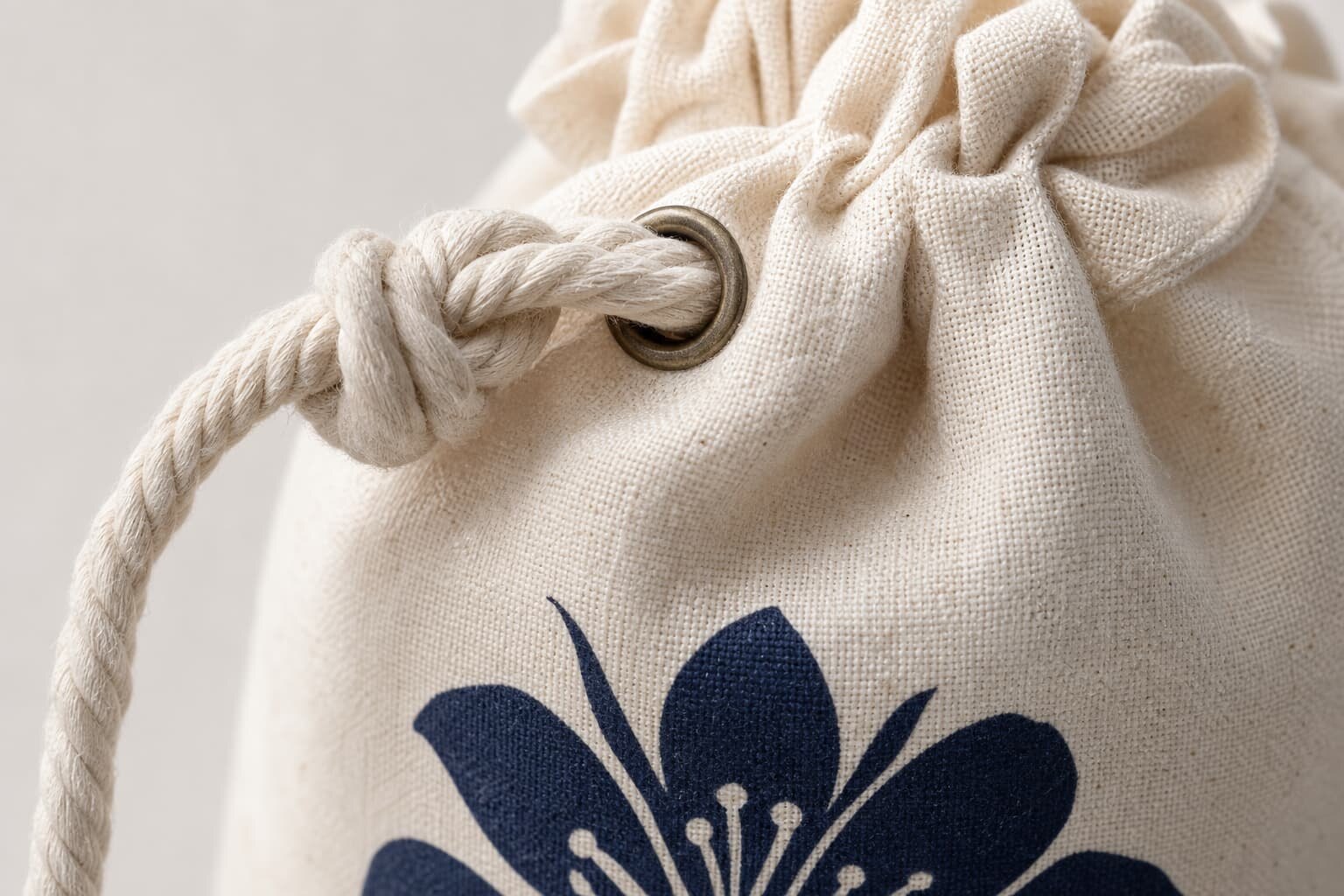
Why Logo Placement Fails on Drawstring Pouches
Logo placement on a drawstring pouch is not the same as logo placement on a flat tote bag. The usable branding area changes when the pouch is filled, pulled closed, folded for packing, or squeezed inside a retail gift set. A logo that looks correct on a flat digital mockup can sit too high under the drawcord channel, too low near the bottom seam, or crooked after the pouch is sewn.
Most placement problems start because the RFQ only says front logo, centered, or same as artwork. That is not enough for factory production. A pouch has a top tunnel, side seams, bottom seam, cord movement, and fabric shrinkage. If the buyer does not define the reference points, each supplier may quote and sample with a different interpretation, which makes price comparison unreliable.
- Use finished pouch size as the base dimension, not fabric cutting size.
- Define the logo position from seams or stitch lines in millimeters.
- Confirm whether the pouch will be viewed flat, filled, or closed.
- Allow extra clearance from the drawcord tunnel because the top area wrinkles when closed.
- Treat the approved sample as the placement master for bulk QC.
Start With the Pouch Size and Usable Print Zone
The first production decision is the usable print zone. For a small jewelry pouch, the printable front area may be much smaller than buyers expect after removing the drawcord tunnel, seam allowance, and bottom fold. For a larger shoe pouch or apparel pouch, the print zone is wider, but the fabric can sag or distort when filled. The same 80 mm wide logo may look premium on a 150 x 200 mm pouch and too small on a 300 x 400 mm pouch.
A practical RFQ should ask the factory to mark the maximum recommended logo size on the pouch drawing. This is more useful than asking for the biggest possible print, because the biggest print is often not the best retail result. Leave enough clear space around the logo so production variation does not make the pouch look off-center.
- Small pouch example: 100 x 140 mm finished size may support a logo around 45-65 mm wide, depending on artwork shape.
- Medium pouch example: 150 x 200 mm finished size may support a logo around 70-100 mm wide.
- Large pouch example: 250 x 350 mm finished size may support a logo around 120-180 mm wide.
- Keep at least 15-20 mm from side seams on small pouches and 25-35 mm on larger pouches.
- Keep the logo above the bottom seam enough to prevent folding through the artwork during packing.
Choose Placement Based on How the Pouch Will Be Used
A procurement team should not approve placement only from a flat table photo. If the pouch is for jewelry, cosmetics, or a gift set, it may be photographed standing upright or closed with the cord tied. If it is for hotel amenities or retail accessories, it may be displayed flat. If it is for ecommerce packing, it may be filled unevenly and handled many times. The correct logo location depends on the real use.
For most bulk orders, front center below the drawcord channel is the safest position. It gives the cleanest branding when the pouch is flat and still remains visible after closing. Lower front placement is useful when the top area will wrinkle heavily, but it must not be so low that the logo folds under the base. Side labels are good for subtle retail branding but need earlier confirmation because they are sewn during pouch assembly.
- Flat retail display: center the logo visually on the front panel, below the cord channel.
- Closed gift pouch: move the logo slightly lower so the gathered top does not hide it.
- Filled product pouch: test with the actual product or a similar filler before approving placement.
- Premium reusable pouch: consider a side label or small lower-front mark instead of a large print.
- Promotional pouch: prioritize clear front visibility and simple artwork that prints consistently.
Match Fabric GSM to the Logo Method
Fabric weight affects both logo quality and placement stability. Lightweight cotton around 4 oz or 120-140 GSM is common for low-cost drawstring pouches, but it can shift under the screen, show ink unevenness, or wrinkle around a heat transfer. Midweight cotton around 6-8 oz or 180-270 GSM gives better print stability and a more structured hand feel. Heavy canvas around 10-12 oz or 300-400 GSM can support embroidery or heavier branding details, but the pouch becomes bulkier and more expensive to ship.
The buyer should ask the factory to quote the fabric and logo method together. A quote for a low GSM pouch with a large dense logo may look attractive, but the actual product may feel stiff where printed or may not pass the buyer's appearance standard. If the logo is important to retail presentation, do not separate fabric choice from print method.
- 120-140 GSM cotton: suitable for simple one-color logos and light promotional use.
- 180-220 GSM cotton: better for sharper screen print and reusable gift packaging.
- 270 GSM and above canvas: suitable for premium pouches, embroidery, and stronger side labels.
- Jute or coarse fabrics: use bolder artwork because fine lines may break on the uneven surface.
- Polyester satin or microfiber: usually needs heat transfer, sublimation, or suitable ink testing.
Print Method Decisions That Change Placement
Screen printing is usually the most stable choice for solid one-color or two-color logos on cotton drawstring pouches. It is economical at bulk quantity and gives a direct print feel. The limitation is that very fine lines, large ink coverage, and multi-color registration need careful artwork preparation. Placement is normally done after sewing for standard front logos, so the operator must align each pouch consistently.
Heat transfer works well when the logo has several colors, gradients, or small text that would be expensive to screen print. However, the transfer film has a physical edge and hand feel, especially on light cotton. Digital print or fabric panel printing can be useful for all-over designs, but placement must be decided before cutting and sewing. Embroidery should be reserved for heavier fabrics because dense stitches can pucker thin pouch panels.
- Screen print: best for simple solid logos, good cost control, and repeat bulk orders.
- Heat transfer: useful for detailed multi-color artwork, but test film feel and edge visibility.
- Digital panel print: good for full-surface design, but pattern alignment tolerance must be accepted.
- Woven label: premium and subtle, but label MOQ and sewing position must be planned early.
- Embroidery: durable and premium on heavy canvas, risky on lightweight cotton.
MOQ Logic Behind Logo Placement Quotes
MOQ is not only about how many pouches the buyer orders. Logo placement can trigger separate minimums for print setup, ink mixing, heat transfer sheets, woven labels, embroidery programming, or fabric panel printing. Two suppliers may both say MOQ 1,000 pieces, but one may include one logo position and one color, while another may charge extra for each position, each color, or each artwork change.
When comparing quotes, procurement teams should separate the blank pouch cost from the logo cost. This helps identify why one quote is higher. A side label may look cheaper per pouch after setup but require a larger label production MOQ. A small heat transfer may have a lower setup burden for multi-color artwork but a higher unit cost. A second logo on the back side may add handling time even if the artwork is simple.
- Ask whether MOQ is based on pouch sewing, printing, label weaving, or transfer production.
- Confirm if one print position is included or if front and back are charged separately.
- Check whether color changes create a new setup fee or a new MOQ.
- Ask if mixed pouch colors can share one logo setup or require separate alignment tests.
- Request the quote to show blank pouch cost, logo application cost, setup cost, sample cost, and packing cost.
Artwork Setup and Placement Drawing Requirements
A factory cannot control placement well if the buyer only provides a JPG logo in an email. For clean production, provide vector artwork such as AI, PDF, EPS, or SVG where possible. Convert fonts to outlines, specify Pantone or other color references when relevant, and remove unnecessary background boxes. If the artwork includes very small text, the factory should confirm the minimum printable stroke and letter height.
The placement drawing should show the finished pouch outline, top drawcord channel, side seams, bottom seam, logo size, and distances from fixed points. For front center placement, measure from the top stitch line rather than the top edge, because the top lip and cord tunnel may vary. For side labels, show the label finished visible size, fold allowance, and whether the label reads upward or downward when the pouch is upright.
- Provide final logo width and height in millimeters.
- State the distance from top stitch line to top of logo.
- State the distance from side seam to logo centerline if the logo is not centered.
- Mark whether the pouch opening, cord knots, or stoppers will appear in product photos.
- Confirm tolerance for placement and print registration before mass production.
Sampling Checks Before Bulk Approval
A digital mockup is useful for discussion but not enough for approval. A real pre-production sample shows how the logo interacts with fabric texture, seam shape, drawcord tension, and packing fold. For repeat orders, a strike-off on the actual fabric may be enough if the pouch construction is unchanged. For a new pouch size, new fabric GSM, or new logo method, request a complete sample.
Review the sample in the same condition the customer will see it. Pull the drawcord closed, fill the pouch, fold it as it will be packed, and photograph it under normal light. Many placement mistakes are visible only after closing the pouch. The top area gathers, the logo may tilt, or the cord knots may cover part of the print.
- Check logo distance from top stitch line, side seams, and bottom seam with a ruler.
- Compare logo color on the real fabric, not only against a digital proof.
- Rub the printed area gently to check curing or transfer adhesion.
- Close and reopen the pouch several times to check whether wrinkles cross the logo.
- Approve one physical sample or photo set as the production reference.
Packing and Lead Time Details That Affect the Logo
Packing can damage a good logo if it is not specified. Fresh screen prints need correct curing before stacking. Heat transfers can show pressure marks if packed too tightly too soon. Drawcord knots can press into the printed area when pouches are folded in bundles. For retail pouches, buyers should confirm whether each pouch is flat packed, folded, inserted into a polybag, packed with tissue, or bundled by quantity.
Lead time should be counted from artwork approval and sample approval, not from the first inquiry. Logo placement approval can delay production if the buyer changes pouch size, logo size, print color, or cord style after sampling. For urgent orders, ask the factory which step is the bottleneck: fabric availability, dyeing, pouch sewing, print setup, label production, or packing.
- Confirm curing or drying time before stacking printed pouches.
- Ask whether separator paper is needed for large or dense prints.
- Define folding direction so the fold line does not run through the main logo.
- Check carton size and compression if the pouch must arrive presentation-ready.
- Request production schedule milestones for fabric, sample, printing, sewing, inspection, and packing.
Final Inspection Standards for Logo Placement
Final inspection should include logo placement as a measured quality point, not just a visual comment. The inspector should take random samples from cartons, measure the logo against the approved reference, and check both open and closed pouch appearance. For small pouches, even a 5 mm shift can look obvious. For larger pouches, the acceptable tolerance may be wider, but crooked or inconsistent placement still affects brand presentation.
Set acceptance criteria before production starts. Define what is critical, major, and minor. A missing logo, wrong logo color, upside-down side label, or print blocking the drawcord channel should be treated as serious. A slight position shift inside agreed tolerance may be acceptable. Clear standards prevent arguments after the goods are finished.
- Critical defect: wrong logo, missing logo, wrong side, upside-down mark, or incorrect artwork version.
- Major defect: logo outside tolerance, obvious tilt, poor ink coverage, peeling transfer, or severe puckering.
- Minor defect: small variation inside tolerance that does not affect retail appearance.
- Inspection method: measure from seams and stitch lines, then compare with approved sample photos.
- Inspection photo set: include flat front, closed pouch, close-up logo, side label if used, and packed condition.
Specification comparison for buyers
| Spec decision | Recommended option | When it fits | Buyer risk to check |
|---|---|---|---|
| Front center print below drawcord channel | Keep logo at least 25-35 mm below the stitch line for small pouches and 40-60 mm for larger pouches | Best for promotional pouches, retail gift bags, jewelry pouches, cosmetic sets, and general brand visibility | If artwork is too high, the drawcord crease may hide the top of the logo when the pouch is pulled closed |
| Lower front print | Place logo in the lower third with a safe margin above the bottom seam | Useful when the pouch will be cinched tight in photos, gift kits, or retail displays | Logo may sit too close to the table surface or fold under if the pouch is short or overfilled |
| Side label logo | Use a woven or printed cotton side label sewn into the side seam | Good for premium retail pouches, reusable packaging, and brands wanting a subtle logo | Label must be confirmed before bulk cutting because seam allowance and label fold size affect visible area |
| All-over repeat print | Print fabric panel before sewing, then cut and stitch pouches | Fits fashion, lifestyle, cosmetic, or seasonal packaging where the pouch itself is part of the design | Pattern alignment at side seams and drawcord tunnel will vary unless tolerance is defined |
| Heat transfer logo | Use for detailed multi-color marks on smooth cotton, polyester, or blended pouch fabrics | Works for small MOQ color logos, gradients, and artwork with fine edges | Transfer film may feel heavier on lightweight 4-5 oz cotton and can crack if the wrong film is selected |
| Embroidery placement | Use lower front or centered front on heavier canvas, usually 10 oz and above | Suitable for premium canvas pouches or reusable retail accessory bags | Embroidery can pucker lightweight fabric and may interfere with the drawcord channel if placed too high |
Buyer checklist before sampling
- Confirm finished pouch size, not only flat fabric cutting size, before deciding the logo position.
- Request a marked placement drawing showing logo width, height, distance from top stitch line, side seam, and bottom seam.
- State whether the logo must look centered when the pouch is flat, filled, or pulled closed.
- Match print method to fabric weight: screen print for solid logos, heat transfer for detailed color, embroidery only on heavier fabrics.
- Check drawcord channel depth and stopper position so the logo is not covered when the pouch closes.
- Define placement tolerance in millimeters, normally plus or minus 3-5 mm for small pouches and 5-8 mm for large pouches.
- Ask for a pre-production sample using the final fabric, final cord, final logo size, and final packing method.
- Approve one sealed reference sample and require factory QC to compare bulk production against it.
- Check if individual polybags, folding style, or carton compression will create creases through the printed logo.
- Include logo placement photos in the inspection checklist, not only general workmanship comments.
Factory quote questions to send
- What finished pouch size, fabric GSM or ounce weight, and seam construction are you quoting against?
- What is the maximum recommended logo size for this pouch size after allowing for drawcord channel, seam allowance, and bottom fold?
- Will the logo be printed after sewing or on fabric panels before sewing, and how does that affect placement tolerance?
- Which print method do you recommend for this artwork and fabric: screen print, heat transfer, digital print, woven label, or embroidery?
- What is the MOQ logic for the selected logo process: pouch MOQ, print setup MOQ, color MOQ, or label MOQ?
- Can you provide a placement artwork sheet with measurements from top stitch line, side seam, and bottom seam?
- What sample type is included in the quote: blank sample, digital mockup, strike-off, or full pre-production sample?
- What lead time applies after artwork approval and after sample approval, and what can delay logo positioning approval?
- How will pouches be packed to avoid print sticking, cord marks, or creasing across the logo?
- What placement tolerance and print defect standard will your QC team use during inline and final inspection?
Quality-control points to confirm
- Measure logo position from physical seams, not from the visual top edge of the pouch, because drawcord channels can vary after sewing.
- Open and close the pouch five times during sample review to see whether the logo disappears into wrinkles or cord tension.
- Check print adhesion, color coverage, edge sharpness, and hand feel on the actual bulk fabric weight.
- Inspect first 20-30 pieces from production before allowing the factory to continue the full print run.
- Confirm side label direction, fold size, and seam capture before mass sewing begins.
- Review packed samples after 24 hours to see if folding, cord pressure, or carton compression leaves marks on the logo.
- For all-over prints, check pattern direction, upside-down panels, and seam mismatch tolerance.
- For heat transfer, perform a stretch, rub, and wash or damp cloth test according to the product use case.
- For embroidery, check reverse backing, loose thread, fabric puckering, and needle holes around dense stitches.
- Record accepted logo placement with photos and millimeter measurements in the final inspection file.