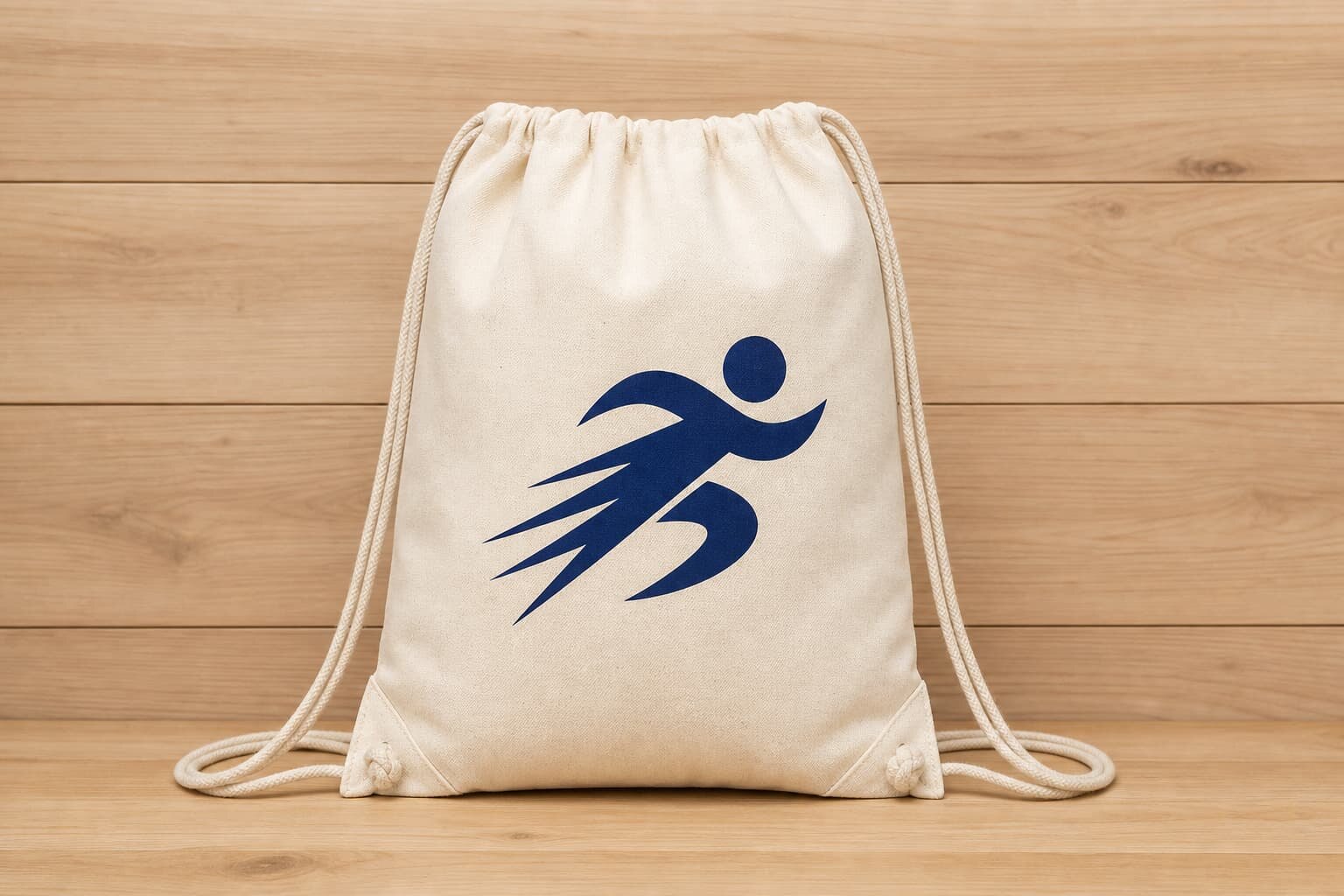
Why the photo packet matters more than a simple proof
When buyers write "logo placement" into an RFQ without a measurement package, factories fill in the blanks with their own habits. That is where most drawstring backpack mistakes start. A logo that looks centered on a flat proof can slide into the top tunnel, sit too close to the side seam, or get pulled off-center once the cord is tightened. A photo packet turns that fuzzy approval into a production control document that the factory, buyer, and inspector can all read the same way.
For drawstring backpacks, this matters because the bag changes shape every time the cord is pulled or the contents shift. The visible area on a flat panel is not the same as the visible area in use. If you want the logo to hold up on shelf, in a retail photo, and in customer use, the packet has to tie artwork to the actual sewn bag spec: fabric GSM, finished dimensions, seam allowance, placement coordinates, and the exact decoration method. Without that, a supplier can still claim the sample is "close enough" when it is not.
- Use one master artwork file and one signed placement drawing.
- Measure from sewn seams and finished edges, not from raw cut fabric.
- Require the same camera angle and scale in every revision photo.
- Attach the photo packet to the PP sample record and PO.
Decide the placement before you ask for price
The fastest way to waste time is to ask for quotes before the logo placement is fixed. On a drawstring backpack, the top tunnel, cord exits, and shoulder straps all compete for the same visual space. A front-center print can work well on a simple promotional bag, but it may fail on a higher-fill backpack where the top third gathers hard. A lower-front position can be safer when the top panel is unstable, while a side woven label is often better when the brand wants a cleaner retail look and less risk of print distortion.
Placement should be defined by the finished bag, not by a generic template. Ask the factory to mark the logo zone in millimeters from the top sewn edge, side seam, and bottom hem. If the design must line up with a pocket, reflective strip, or another panel feature, put that in writing. Buyers often discover too late that a technically printed logo is still wrong because it is too close to the channel, too high for the shelf view, or hidden once the backpack is filled.
- Define the visible logo area in mm before sampling.
- State whether the measurement starts from the cut edge or sewn edge.
- Confirm if the placement changes on different fabric widths or panel sizes.
- Approve the logo on a stuffed sample, not only on a flat panel.
Match the decoration method to the fabric weight
Fabric GSM changes how a logo behaves. A lighter 135 to 150 gsm cotton or poly-cotton bag can take a clean one-color screen print, but it will show more texture and may distort slightly if the panel is too soft. At 220 to 280 gsm, the bag has more body, so print alignment is easier and the logo reads better on camera. On 300 gsm canvas and above, embroidery or a sewn patch may give a more premium feel, but the needle holes, thread density, and backing must be reviewed carefully because they can stiffen the panel or create a visible ridge near the drawcord channel.
The best quote is not always the cheapest method. If the artwork has fine text, thin lines, or multiple colors, a low-cost screen print may not hold detail well enough. Heat transfer can reproduce detail, but the buyer needs to test wash durability, edge lift, and fold resistance. Woven labels and stitched patches are usually stronger for retail presentation, and they are easier to repeat across reorder lots, provided the supplier controls the label size, border, and sewing position.
- Screen print: best for bold, simple logos on flat panels.
- Heat transfer: best for fine detail, but test wash and flex resistance.
- Embroidery: best on heavier cotton or canvas, but check puckering.
- Woven or sewn labels: best for subtle brand presence and repeatable placement.
What the photo packet must show, not just say
A useful photo packet is a production record, not a marketing photo set. It should show the drawstring backpack flat, stuffed, and partially cinched, because logo shape changes in each state. The packet should also include a ruler, scale card, or another fixed reference in the same frame so the buyer can verify the position instead of guessing from the image. Without a scale reference, a good-looking photo can still hide a 5 mm shift that becomes obvious only when the order lands.
Ask the factory to follow one fixed sequence on every revision. The set should include the front view, back view, side seam view, top tunnel and cord exit area, and a close-up of the print, embroidery, or label edge. If the logo is stitched or patched, also ask for the reverse side or inside finish. That is where loose thread tails, backing show-through, or trim problems often appear. A consistent packet makes it easy to compare version A against version B without relying on memory or camera angle tricks.
- Front view with the bag flat and untensioned.
- Front view with the bag stuffed to realistic use shape.
- Close-up with a ruler at the logo centerline.
- Side view showing the seam clearance and strap exits.
- Packed view showing the fold line and carton count.
Set acceptance criteria before the PP sample arrives
Do not approve a sample just because the print color looks acceptable. For drawstring backpacks, the real test is whether the logo stays readable when the bag is in the condition the customer will actually see. That means checking the empty bag, the filled bag, and the partially cinched bag. If the logo disappears into a fold or is swallowed by a seam shadow when the bag is used, the placement is wrong even if the sample looked fine on the table.
Good acceptance criteria are measurable. Write down the allowed tolerance for placement, print width, color variation, stitch alignment, and edge finish. A practical promotional tolerance might be plus or minus 3 mm on position and plus or minus 1 mm on width, but that number should tighten if the design is small or the artwork is detailed. For embroidery and sewn labels, require no loose threads, no visible backing on the face side, and no puckering that bends the panel.
- Compare the sample with the signed photo packet, not with memory.
- Check the logo on both empty and filled bags.
- Pull the cord to normal use tension before sign-off.
- Reject samples that look right flat but fail under load.
- Record the exact reason for any correction so the next revision is not guessed.
How to read a factory quote line by line
The most useful quote separates the bag body from the logo work. If the supplier gives only one lump price, you cannot tell whether the quote includes a larger screen, embroidery digitizing, woven label setup, a second placement, or a revised photo packet. Ask for line items that show the fabric GSM or denier, the decoration method, the number of colors, the artwork size, the sample fee, repeat sample fee, packing style, carton count, and any art revision charge. This is the only way to compare two suppliers fairly.
You also need to know what causes the price to move. A bigger print area may require a larger screen or a different platen. Moving the logo closer to the seam may add manual labor or a trim step. Switching from flat packing to stuffed packing can add labor and carton volume. If the supplier says a change is minor, ask them to show the cost impact in writing. That makes internal approval easier and prevents surprise charges later in the season.
- Fabric GSM or denier.
- Panel size and seam allowance.
- Print method and setup charge.
- Sample lead time and bulk lead time.
- Packing method and carton units.
- Overrun or underrun policy.
- Artwork revision policy and proof format.
MOQ and lead time should reflect the logo method
MOQ is not just a bag question. It depends on whether the logo is screen printed, heat transferred, embroidered, or sewn as a label or patch. Screen print usually has setup cost tied to colors and screens, while embroidery may require digitizing and thread setup. Woven labels can have their own loom or label minimums. The buyer should ask whether MOQ applies per logo version, per colorway, or per fabric lot, because that answer changes how easy it is to split the order across a season or replenish a top-selling color later.
Lead time should also be broken into steps instead of being quoted as one vague number. A clean production schedule usually includes artwork confirmation, sample making, sample approval, material booking, bulk sewing or printing, inspection, and packing. For example, a simple one-color logo on stock fabric may move faster than a multi-color embroidered badge on a custom canvas body, but the real delay is often the revision loop, not the sewing line. A strong photo packet shortens that loop because it removes ambiguity from the factory's next action.
- Clarify MOQ by logo version and colorway.
- Ask whether approval freezes placement or only artwork.
- Separate sample days from bulk production days.
- Confirm whether the factory books fabric before PP approval.
- Ask for a revised lead time if the decoration method changes.
Packing, folding, and carton setup can damage the logo
Packing affects logo quality more than many teams expect. A print that looks perfect before packing can crease if the bag is folded too tightly or compressed before the ink is fully cured. Embroidered logos can snag on rough inner carton surfaces. Sewn labels can press into the opposite face if the fold line is wrong. That is why the photo packet should show the final fold, the polybag if one is used, and the carton count, not just the decoration area itself.
Ask for pack-out photos using the same approved sample, not a different bag from the line. You want one image of the bag displayed, one image of the bag folded for shipment, and one image of the carton label and bundle count. If the retail team needs barcode stickers, hangtags, or inserts, confirm that they do not cover the logo or force a different fold line. A neat pack can still be wrong if it hides the brand mark or creates a hard crease through the artwork.
- Confirm the fold line avoids the logo zone.
- Check that polybag glare does not hide the print in photos.
- Verify carton marks do not cover the retail display side.
- Ask whether extra ink curing is needed before compression.
- Require pack-out photos from the same approved sample.
The mistakes that keep repeating in buyer audits
The most common error is placement drift. A few millimeters may not matter on a loose tote, but on a drawstring backpack it can move the logo into a fold line or the edge of the tunnel. Another common failure is a front-only approval that hides the fact that the side seam, the patch backing, or the embroidery reverse side was never reviewed. The buyer thinks the sample is approved; the factory thinks only the front face was approved. That gap creates arguments after bulk production starts.
The fix is not complicated, but it has to be disciplined. Keep one artwork master, one measurement basis, one photo sequence, and one approval record. If the factory sends a revision, compare the new packet side by side with the old one and write down exactly what changed. Keep that packet with the PO so procurement, quality, and the supplier are all working from the same document. That is how you prevent a bad logo position from becoming a whole-order dispute.
- Do not approve from a single hero shot.
- Do not measure from raw cut edges.
- Do not accept unlabeled revision photos.
- Do not mix art approval with bag construction approval.
- Do not release bulk until the packet and PP sample match.
Specification comparison for buyers
| Spec decision | Recommended option | When it fits | Buyer risk to check |
|---|---|---|---|
| Front center screen print | Single-color or 2-color print, roughly 90 to 120 mm wide, placed below the top tunnel | Promotional programs, simple branding, and flat-front cotton or polyester bags | Logo can drift into the cinch zone or seam line if the placement is measured from the wrong edge |
| Lower-front logo | Print or patch positioned lower on the panel, with clear distance from the drawcord exit points | When the top panel gathers heavily or the brand wants a cleaner shelf look | Artwork may look too low once the bag is filled or folded for packing |
| Side woven label | Small woven label or sewn brand tab near the side seam, usually 10 to 15 mm off the seam line | Retail bags, subtle branding, and programs that need repeatable positioning | Label can warp at the seam or disappear in photos if the camera angle changes |
| Embroidery patch | Embroidered badge on heavier canvas, often on the front center or upper third of the panel | Premium cotton or canvas bags at 220 gsm and above | Puckering, backing show-through, and stitch density can distort the panel |
| Back-panel print | Secondary logo or compliance mark on the back panel, sized smaller than the front art | When the front is reserved for artwork or a clean retail presentation | Strap layout can hide the mark or create tension marks in use |
Buyer checklist before sampling
- Confirm the final bag spec, including fabric GSM, panel size, seam allowance, and drawcord construction, before placing the logo.
- Approve one master artwork file with measured logo width, height, and exact placement from sewn seams, not cut edges.
- Request flat, stuffed, and partially cinched photos of the same sample so the logo can be checked in real use.
- Ask the factory to show the ruler or calibration card in the photo packet for every revision.
- Match the print method to the logo detail, wash requirement, and fabric weight before sampling.
- Lock acceptance tolerances for logo position, color, stitch alignment, and edge finish before PP approval.
- Get line-by-line quote data for print setup, sample fees, packing, and revision charges.
- Verify the fold line, polybag, and carton pack do not crease or hide the logo.
Factory quote questions to send
- What is the exact logo placement in millimeters from the top sewn edge, side seam, and bottom edge?
- Which print or decoration method are you quoting, and why is it the best match for this fabric and artwork?
- What is the fabric GSM or denier, and does the panel need a backing layer or stabilizer for the logo area?
- What are the sample charge, repeat sample charge, and any extra fee for revised photo packets?
- What MOQ applies per artwork version, per colorway, and per logo method?
- What is the sample lead time, bulk lead time, and which steps are included in each?
- What placement tolerance will you hold during cutting, printing, stitching, or label sewing?
- What packing method are you quoting, and how many pieces go into one inner pack and one carton?
- What overrun or underrun range should we expect on this order?
- If the logo crosses a seam, tunnel, or drawcord exit point, how will you prevent distortion or reject the layout?
Quality-control points to confirm
- Logo position matches the signed photo packet within the agreed millimeter tolerance.
- Logo remains readable when the bag is flat, filled, and partially cinched.
- The artwork does not cross a seam, drawcord tunnel, or stress point unless that was approved in writing.
- Print color, stitch thread, label color, and backing material match the approved sample.
- No puckering, tunneling, cracking, lifting, or loose threads appear around the logo area.
- The same bag piece appears in the front, side, and pack-out photos so revision drift is obvious.
- The fold line and polybag do not crease, smear, or hide the logo in shipment.
- Carton count, inner pack count, and carton mark placement match the approved packing spec.