Why Logo Placement Changes the Whole Tote Spec
For custom canvas grocery totes, logo placement is often treated as an artwork task, but it directly affects construction, printing cost, sample approval, carton folding, and final brand presentation. A tech startup may order the tote for a product launch, user conference, employee onboarding kit, retail pop-up, or distributor giveaway. Each use case changes where the logo should sit. A large logo that looks strong on a flat mockup may be partly hidden when the bag is filled with groceries or folded inside a welcome kit carton.
The safest RFQ starts with the bag function first, then the printable area. A grocery tote usually needs a wider bottom gusset, stronger handle stitching, and a larger front panel than a simple book tote. Once those dimensions are fixed, the logo can be positioned with measurable distances from the top opening, side seam, and bottom seam. Without those measurements, different suppliers will quote different assumptions, and the cheapest quote may be based on a smaller logo, lighter canvas, or easier print position.
- For a visible event tote, place the logo high enough to show when the bag is carried by the handles.
- For retail resale, keep placement balanced and allow clean blank space around the mark.
- For grocery programs, avoid placing the logo too close to the bottom gusset where distortion is common.
- For distributor stock, choose a repeatable placement that different factories can reproduce in future reorders.
Start With the Tote Body Before Artwork
A logo placement guide is only useful after the tote body is defined. Common grocery tote sizes fall around 380-450 mm wide, 350-400 mm high, and 100-180 mm deep at the gusset. A shallow gusset makes the front panel flatter and easier to print. A deep grocery gusset improves carrying capacity but reduces the safe printable area near the bottom corners. The handle drop also matters. A 250-300 mm handle drop is comfortable over the shoulder, but longer handles can swing over the logo when the empty bag is displayed.
Fabric weight should be written in ounces and GSM if possible. A practical canvas grocery tote often uses 10 oz to 16 oz cotton canvas, roughly in the 280-540 GSM range depending on how the supplier converts and finishes the fabric. For startup promotions, 10 oz or 12 oz natural canvas is common because it balances cost and structure. For retail merchandise or premium employee kits, 14 oz or 16 oz canvas gives a firmer hand feel, but it increases fabric cost, carton weight, and needle requirements during sewing.
- Entry event tote: 10 oz canvas, simple front logo, moderate load expectation.
- Standard grocery tote: 12 oz canvas, reinforced handles, bottom gusset, larger printable panel.
- Premium retail tote: 14-16 oz canvas, tighter sewing control, stronger structure, higher freight weight.
- Dyed canvas tote: higher color-control risk and longer material preparation than natural canvas.
Choose Logo Position by Carrying and Display Conditions
The best logo location depends on how the tote is seen in real use. Front center placement is still the most reliable choice for tech startup orders because it works for photos, event tables, retail shelves, and employee kits. On a standard grocery tote, a useful starting point is to place the top of the logo 90-120 mm below the top opening, then center it between the side seams. This keeps the logo clear of the hem and handle stitching while leaving enough space above the bottom gusset.
Lower front placement can look more premium, but it needs more control. If the logo sits too low, the gusset fold may bend the print and create a distorted mark when the bag is filled. Side seam woven labels are a good alternative when the brand wants subtle identification instead of a large promotional print. For startup brands with strict identity guidelines, it is sensible to combine one main front print with a small side label only when the order volume supports the extra label setup and sewing control.
- Main front logo: strongest visibility and easiest inspection.
- Small lower logo: cleaner look but higher distortion risk near the gusset.
- Side woven label: premium and subtle, but may require separate label MOQ.
- Inside pocket logo: useful for high-value kits, but only when pocket construction is already planned.
Logo Size, Clear Space, and Tolerance
For a standard canvas grocery tote, a logo width of 180-260 mm is usually workable for a front center print. The correct size depends on the bag width, the logo shape, and whether the mark includes small text. A horizontal tech logo may need more width but less height. A square app icon or symbol can be smaller and still visible. The RFQ should not say only 'large logo' or 'same as mockup'. It should state logo width, height, and clear space from seams.
Tolerance should be realistic for textile production. Canvas is cut, sewn, folded, and printed with manual handling or semi-automatic equipment. A normal screen-printed tote can often hold logo placement within plus or minus 5 mm from center on a flat panel, but deeper gussets, thick seams, and flexible fabric can make tighter tolerances expensive or unrealistic. If the brand has strict retail requirements, the buyer should define which deviation is minor and which becomes a reject.
- Keep fine strokes above 1.5 mm where possible on coarse natural canvas.
- Keep at least 40-50 mm between the logo edge and side seams on standard grocery totes.
- Avoid printing across bottom folds, thick seam allowances, or uneven pocket areas.
- Approve placement using a measured technical drawing and a physical sample photo.
Print Method and Fabric Weight Tradeoffs
Screen printing is usually the most stable option for one to three solid-color startup logos on canvas grocery totes. It gives clear edges, reasonable cost at bulk quantity, and good repeatability when the artwork is not too detailed. The buyer should confirm whether the quote includes water-based ink, plastisol, pigment ink, or another ink system, because hand feel and curing behavior differ. Water-based print can feel softer on natural canvas, while thicker ink may improve opacity on dyed fabric but can feel heavier.
Heat transfer can handle gradients, small multicolor artwork, or photo-style graphics, but it is not always the best match for a grocery tote that will be folded, carried, and reused. Transfers may show a film edge or crack if placed on fold lines or heavy-texture canvas. Embroidery is less common for large grocery tote fronts because it can pucker the fabric and increase cost, but a small embroidered patch or woven label can work for premium branding. The practical decision is not which method sounds best; it is which method survives the fabric texture, folding plan, and order economics.
- Use screen print for solid logos, clear brand marks, and repeat bulk orders.
- Use heat transfer only when artwork complexity justifies the film feel and testing requirement.
- Use woven labels for subtle branding and higher perceived value.
- Use embroidery sparingly on canvas grocery totes unless the logo is small and the fabric is heavy enough.
MOQ Logic and Cost Drivers
MOQ is not only a factory policy. It is connected to fabric sourcing, dyeing, cutting efficiency, print setup, label production, and packing materials. A natural canvas tote with a one-color screen print can often be quoted at a lower MOQ than a dyed canvas tote with custom webbing, woven side labels, and individual retail packaging. If a supplier gives one total unit price without separating these cost drivers, the buyer has less control when adjusting the design to meet budget.
For tech startup buyers, the first order often has uncertain demand. A launch team may want 500 pieces, while the distributor wants price breaks at 1,000, 3,000, and 5,000 pieces. The RFQ should request tiered pricing and show which components change at each tier. Screen charges may be fixed. Fabric and labor usually improve with volume. Custom labels may have their own MOQ, and leftover labels should be discussed for reorders. This prevents a quote comparison where one supplier includes label waste and another ignores it until production.
- Separate bag sewing cost from logo printing cost.
- List screen setup, sample charge, label charge, and packing upgrade as separate lines.
- Request price breaks at realistic quantities instead of only one target quantity.
- Confirm whether overrun or underrun tolerance is allowed, especially for distributor purchase orders.
Sample Approval That Prevents Bulk Mistakes
A digital proof is useful for checking artwork position, but it cannot prove canvas texture, ink opacity, handle interference, or folding marks. For custom canvas grocery totes with logo placement requirements, the pre-production sample should use the same fabric weight, fabric color, print method, handle width, and sewing construction planned for bulk. If the sample uses substitute fabric or a different ink, it should be labeled as a reference sample only, not a production approval.
The sample review should include filled, flat, folded, and hanging photos. A logo that looks centered on a flat table may shift visually when the gusset opens. A handle may cover part of the artwork when the bag hangs on a rack. If the tote is going into a kit box, the folding direction may create a crease across the print. These are simple checks, but they prevent expensive arguments after bulk goods are packed.
- Measure logo distance from top opening, bottom seam, and side seams on the sample.
- Rub the print surface after curing to check smearing, tackiness, or transfer.
- Fold the sample the same way the factory plans to pack bulk cartons.
- Load the tote with typical contents to see how the logo looks under real use.
- Keep one signed approval sample at the factory and one with the buyer or inspection team.
QC Thresholds for Logo and Sewing
Quality control should define what is acceptable before production starts. For logo placement, the inspection sheet should include artwork size, position tolerance, color standard, ink coverage, and print cleanliness. A practical tolerance for many canvas tote orders is plus or minus 5 mm for center alignment and plus or minus 8 mm for vertical position, but the exact number should match the bag size and factory process. The buyer should also define whether small canvas slubs inside the print area are acceptable, because natural canvas is not a perfectly smooth substrate.
Sewing quality affects logo presentation more than many buyers expect. If the front panel is skewed, the logo may look crooked even when it was printed correctly. If the top hem is uneven, measuring from the opening becomes inconsistent. Handle reinforcement should match the load expectation of a grocery tote, not a lightweight flyer bag. Broken stitches, loose threads around the front panel, dirty handling marks, and uneven gusset corners should be included in the same inspection plan as print defects.
- Major defect: logo visibly off-center beyond approved tolerance.
- Major defect: ink transfer, smearing, or blocking after normal carton pressure.
- Major defect: broken handle stitching or weak reinforcement on grocery-load totes.
- Minor defect: small natural slub outside logo area if it does not weaken the fabric.
- Critical concern: mold, strong odor, wet cartons, or contamination inside packed bags.
Packing Choices That Affect Logo Appearance
Packing is part of logo placement because folding can create pressure lines, ink marks, and display problems. If the tote will be handed out at a tech conference, bulk packing may be enough, but the bags still need to be folded consistently so staff can unpack them quickly. If the tote will be sold through retail or distributor channels, the buyer may need individual polybags, belly bands, hangtags, or barcode labels. Each option changes labor cost, packing time, and carton volume.
For printed canvas grocery totes, the safest approach is to allow proper curing time before folding and to define whether the logo faces inward or outward. Logo facing outward helps retail workers identify the item but increases exposure to rubbing during transit. Logo facing inward protects the print but may slow receiving checks. Carton quantity should consider both weight and compression. Heavy canvas totes packed too tightly can flatten handles, crease the print, and make cartons difficult to handle.
- Request carton dimensions, gross weight, net weight, pieces per carton, and total CBM.
- Define folding direction with photos, especially if the logo is large.
- Avoid tight compression across thick ink or heat transfer film.
- Use moisture protection suitable for cotton canvas, especially for sea freight.
- Confirm carton marks include SKU, color, quantity, PO number, and destination if required.
Lead Time and Schedule Risk
A realistic schedule separates artwork proofing, material preparation, sampling, sample approval, bulk cutting, printing, sewing, final inspection, and packing. A simple natural canvas tote with one-color print is faster than a dyed canvas tote with woven labels and retail packaging. Buyers often lose time not in sewing, but in unclear artwork files, missing Pantone references, late sample comments, or changes to logo size after screens have been made.
For startup launches, the event date is fixed and the tote is often part of a larger campaign. The RFQ should state the required delivery date, shipping mode, inspection requirement, and latest acceptable ex-factory date. If the project has no room for delay, avoid unnecessary custom elements in the first order. A standard natural canvas base with a well-controlled logo placement is safer than a fully customized dyed tote when the deadline is close.
- Build time for artwork confirmation before sample production starts.
- Add buffer if fabric must be dyed or custom labels must be woven.
- Do not approve bulk production from a low-resolution logo file.
- Lock logo size before screen making to avoid rework charges.
- Schedule inspection before final carton sealing when logo placement is a key requirement.
Specification comparison for buyers
| Spec decision | Recommended option | When it fits | Buyer risk to check |
|---|---|---|---|
| Front center logo placement | Print logo 90-120 mm below top opening, centered between side seams | Best for startup events, onboarding kits, retail giveaways, and grocery use where the bag is carried at waist height | Handle drop may cover the logo when the tote is folded or hung; approve a folded sample photo, not only a flat artwork proof |
| Lower front logo placement | Place logo 70-100 mm above bottom seam with at least 50 mm side clearance | Useful when the brand wants a quieter look or expects large grocery items to fill the tote and keep the lower panel visible | Bottom gusset curve can distort the print if the logo sits too low; factory must mark the printable flat area before sampling |
| Side label branding | Use a woven or cotton side label sewn into the side seam, 25-45 mm visible length | Good for premium merchandise, resale totes, and designs that should feel less promotional | Label MOQ and color matching may be separate from tote MOQ; confirm label lead time and whether labels are cut, folded, and heat sealed |
| Inside pocket logo | Print or sew small branding on an inside pocket only if the tote includes pocket construction | Fits employee welcome kits or higher-value retail bags where subtle branding matters | Pocket adds sewing time and fabric consumption; inside print may transfer if not fully cured before packing |
| Logo size on 12-16 oz canvas | Keep common tech startup marks between 180-260 mm wide on a standard grocery tote front panel | Balances visibility with clean design on 380-450 mm wide bags | Fine text below 1.5 mm stroke may fill in on coarse canvas; request a print test on actual fabric, not paper |
| Screen print versus heat transfer | Use screen print for solid one to three color logos; use transfer only for gradients or tight multicolor artwork | Screen print is stable for repeat bulk orders and usually more economical after setup | Heat transfer can feel plasticky on heavy canvas and may crack on folded areas; test fold marks after 24 hours |
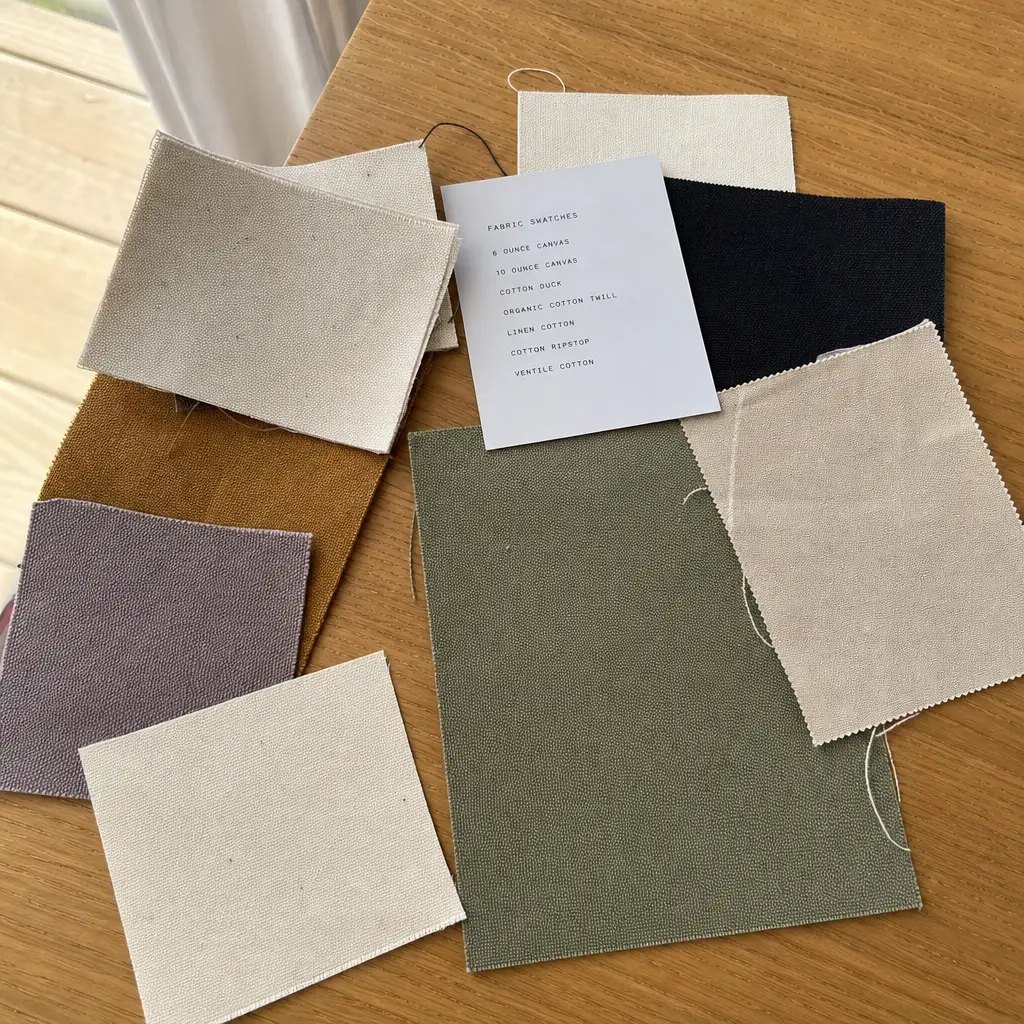
| Natural canvas versus dyed canvas | Use natural 10-12 oz canvas for budget and sustainability messaging; use dyed 12-16 oz canvas for retail color control | Natural canvas suits grocery and conference programs; dyed canvas suits branded merchandise lines | Dye lot variation and print contrast change the logo appearance; approve fabric swatch and printed strike-off together |
| Carton folding method | Specify flat fold with logo facing inward or outward depending on retail presentation needs | Flat fold reduces creasing across large logos and helps distributors count pieces quickly | Folding across wet or thick ink causes pressure marks; require curing time and carton photos before shipment |
Buyer checklist before sampling
- Define the exact tote size, gusset depth, handle drop, and fabric weight before finalizing logo size.
- Place the logo on a marked printable area drawing, not only on a marketing mockup.
- State whether the bag is for events, retail resale, grocery loyalty programs, employee kits, or distributor stock.
- Select print method based on artwork complexity, fabric texture, wash expectation, and order quantity.
- Approve logo size in millimeters and placement distance from seams, top opening, and bottom gusset.
- Require a pre-production sample using bulk fabric, bulk ink or transfer, and final handle construction.
- Check logo visibility when the tote is filled, hung by handles, folded, and packed in cartons.
- Set acceptance limits for print position tolerance, color variance, ink coverage, and fabric defects.
- Confirm carton quantity, folding direction, inner polybag policy, carton marks, and pallet requirements.
- Request the quote with separate lines for bag body, printing, labels, packing, sampling, mold or screen charges, and freight-ready carton data.
Factory quote questions to send
- What canvas weight do you recommend for this grocery tote size: 10 oz, 12 oz, 14 oz, 16 oz, or a GSM equivalent?
- Is the quoted fabric weight before or after dyeing, washing, or finishing?
- What is the maximum printable area on the front panel after allowing for side seams and bottom gusset?
- Which print method is included in the price, and how many colors are included before extra charges apply?
- What is the placement tolerance for the logo in millimeters from center, top edge, and bottom seam?
- Can you produce a printed strike-off on the actual canvas before making the full bag sample?
- What is the MOQ for the tote, and is there a separate MOQ for woven labels, dyed fabric, or custom handle webbing?
- How many days are needed for artwork proof, sample making, sample revision, bulk production, packing, and final inspection?
- What carton size, carton gross weight, pieces per carton, and estimated CBM are included in the quote?
- What defects are counted as major for logo placement, ink smearing, uneven coverage, broken stitches, or dirty canvas?
Quality-control points to confirm
- Logo center deviation should normally stay within plus or minus 5 mm for standard screen printing on flat tote panels.
- Logo height from top opening and distance from bottom seam should match the approved sample within plus or minus 8 mm unless the bag is oversized.
- Ink should be cured enough to resist blocking, sticking, and visible transfer after folded pressure in carton conditions.
- Printed areas should not show pinholes, skipped strokes, heavy ink buildup, blurred edges, or obvious shade mismatch against the approved strike-off.
- Canvas should be checked for oil stains, dark slubs, weaving holes, crease lines through the logo, and unacceptable shade variation.
- Handle stitching should use reinforced cross-stitch or box-stitch suitable for grocery loading, with no loose thread at the logo-facing panel.
- Bag dimensions should be measured flat and expanded, because gusset depth changes the visible logo position when the tote is filled.
- Packing inspection should verify folding direction, carton count, moisture protection, carton marks, and whether the first visible face matches retail requirements.