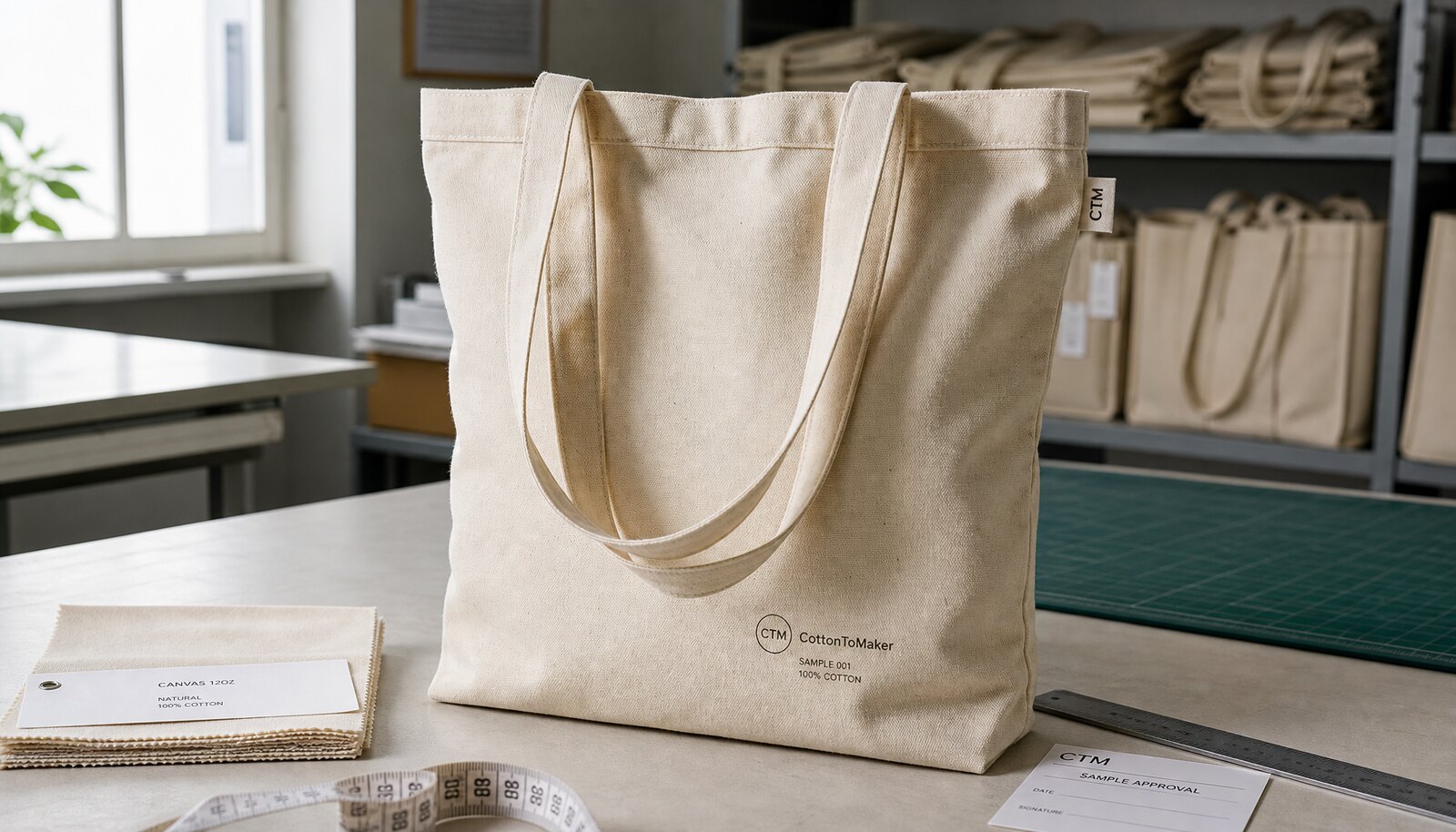
1) Start with the approval problem, not the artwork problem
Most logo disputes on canvas totes do not begin with bad design. They begin with a proof that leaves out the production details buyers actually need to approve. A logo can look fine on a white background and still fail once it is printed on 10 oz natural canvas with seams, folds, handle stitching, and a rough weave. If the proof does not show size, placement, print method, and bag construction together, the approval is not really a production approval.
For procurement teams, the goal is simple: reduce the number of assumptions between artwork signoff and bulk production. Treat the proof as a factory working document, not a marketing layout. The proof should show the exact tote style, canvas weight, print area, and any visible limitations from stitching or gussets. Once those details are locked, the buyer can compare factory quotes on equal terms and avoid last-minute changes that create extra cost or delay.
- Approve the logo on the actual tote format, not on a flat art sheet alone.
- Mark the final print size in mm or inches and tie it to the bag spec.
- Show the placement relative to seams, handles, top edge, and bottom gusset.
- Use one version number for each revision so nobody approves the wrong file.
2) What a proper logo proof must show before you sign off
A useful proof should answer five questions at a glance: where the logo sits, how large it is, how many colors it uses, how it will be applied, and what the finished tote construction looks like. If the factory sends only a logo image pasted onto a generic bag silhouette, ask for more. The bag silhouette must match the actual product dimensions, because a 20 x 14 inch tote will not behave like a 16 x 14 inch tote when the print is placed near the center or near the top edge.
The proof should also carry technical notes that are easy to overlook in a rush. Include canvas weight, bag color, print method, and whether the logo will be on one side or both sides. If the artwork has fine text or thin lines, require the factory to note the minimum line thickness they can hold cleanly. That one detail often decides whether a logo looks crisp or blurry after production.
- Bag dimensions and seam locations.
- Exact logo size and placement coordinates.
- Print colors with Pantone or lab reference if needed.
- Print method and whether the ink sits flat, raised, or textured.
- Revision number, approval date, and approver name.
3) Choose the logo method that fits the order, not just the artwork
Canvas tote bag branding is usually a tradeoff between visual sharpness, order size, and unit cost. Screen print is the default for simple logos because it gives strong color and good repeatability on canvas. Heat transfer works better when the artwork has fine type, gradients, or more frequent design changes. Embroidery and patch options improve perceived value, but they can create bulk, puckering, or a stiffer hand feel that matters on a foldable tote.
A buyer should never accept a print method without understanding how it affects MOQ and rework risk. For example, a one-color screen print may have a lower setup burden than a three-color logo, but the factory still needs a clean print area and correct screen registration. If the logo is very small, a woven patch or woven label may be safer than trying to force tiny text through ink or stitch. The best method is the one that survives actual production, packing, and end use.
- Use screen print for bold, simple logos and better per-unit economics at scale.
- Use transfer for detailed art, short-run tests, or frequent artwork updates.
- Use embroidery or patch work for premium presentation, but check fabric distortion.
- Use woven labels as a secondary brand element when the main logo needs to stay simple.
4) Canvas weight changes the proof, the print, and the buyer's risk
Canvas weight is not just a material line on the spec sheet. It changes how the bag lies flat, how the print transfers, and how much the fabric distorts when stitched. A light promotional tote around 8 oz, roughly 270 GSM, may be fine for giveaways and short carry use, but the weave can show through the print more clearly. A 10 oz canvas, around 340 GSM, is often a better middle ground for retail and trade programs. A heavier 12 oz canvas, around 400 GSM, gives a more substantial hand feel and usually supports premium branding better.
The proof should reflect the real fabric, not a generic white tote. On natural canvas, the base color can warm the logo slightly; on bleached or dyed canvas, the ink contrast changes again. If the order depends on color match, the proof should reference the actual fabric shade and finish. Buyers who approve artwork without confirming fabric weight often discover that the print looks too small, too faint, or too crowded once the bag is made in the specified material.
- 8 oz / 270 GSM: good for low-cost promos, but print show-through can be higher.
- 10 oz / 340 GSM: balanced option for most retail and distribution programs.
- 12 oz / 400 GSM: better for premium feel, sturdier print base, and heavier use.
- Heavier canvas may need a larger print area to keep the logo proportionate.
5) MOQ logic starts with the proof, not after production begins
Many buyers ask for a logo proof first, then treat MOQ as a separate conversation. In factory planning, those two are linked. Every artwork version, print color, and placement change can create extra setup work, and that setup work is what often drives MOQ. A one-color screen print on one tote style may support a lower MOQ than a multi-color design with front and back prints. If the artwork must be sampled on several canvas colors, the factory may also need separate approval rounds for each colorway.
The cleanest way to manage MOQ is to ask the factory how they define a production batch for your logo method. Is MOQ tied to total quantity, per color, per artwork version, or per print location? That matters when you are comparing quotes from different mills or decorators. A supplier offering a lower MOQ may still charge more for artwork setup, slower sampling, or extra proof revisions. Buyers should compare the full approval path, not only the headline order minimum.
- Ask whether MOQ changes with each logo color.
- Confirm if front and back prints count as one order or two setups.
- Check whether a revised artwork file resets sampling or tooling charges.
- Use one locked proof before asking for final mass-production pricing.
6) The sample should prove placement, color, and fold behavior
A proper sample check is more than a visual thumbs-up. For canvas totes, the sample needs to confirm how the logo behaves when the bag is flat, folded, and packed. A centered logo may look perfect on an open sample but land too close to a side seam once the tote is folded in the carton. The same is true for logos near the top edge, where handle stitching can interfere with the visual balance or even cover part of the design.
When you review the sample, check the actual printed size, the ink edge quality, and whether the logo has shifted relative to the seam allowance. If you are buying a premium bag, also test the hand feel around the print area. Heavy inks, thick transfers, or dense embroidery can change how the tote drapes and folds. That may not matter for a free event bag, but it can matter a lot for retail shelf presentation.
- Measure logo placement against the approved technical drawing.
- Inspect the sample in both open and folded condition.
- Compare the print color to the agreed reference under neutral light.
- Check for smudging, cracking, or print distortion near seams and corners.
7) Quote breakdown: what should be included and what buyers often miss
A useful factory quote for a canvas tote logo order should separate material, print, packing, sampling, and logistics. If the quote only gives one unit price, there is a good chance some cost drivers are hidden. Ask for the canvas GSM, bag dimensions, handle length, print method, number of colors, sample fee, setup charge, and packing spec. Also ask whether the quote assumes bulk-packed totes or individually polybagged units, because packing can affect both cost and lead time.
The quote should also clarify commercial terms that affect approval. Does the factory include a fixed number of artwork revisions? Are there charges for a second proof after the buyer changes the logo size? What is the tolerance on overrun or underrun, and how is short quantity handled if a color mismatch is found before packing? These details sound small, but they often determine whether a low quote stays low after the approval cycle begins.
- Material line: canvas weight, weave, lining if any, and handle spec.
- Decoration line: print method, setup charge, and per-color impact.
- Packing line: polybag, insert, carton count, and carton mark spec.
- Commercial line: sample fee, revision limit, MOQ, and lead time.
- Logistics line: Incoterm, shipment stage, and carton dimensions.
8) Packing and carton marks can change what gets approved
Some logo approvals fail because the tote looks correct on the sample but breaks down in packing. A bag that folds one way for shipping may press the printed area across a crease line and leave a permanent mark. If the print is heavy or the fabric is lightly finished, that crease can show through even before the buyer opens the carton. For that reason, the proof approval should consider the intended packing direction and the fold line, not only the front view of the tote.
Carton marks matter too, especially for retail buyers and distributors who need consistent receiving and warehouse handling. If the carton label will show size, color, barcode, or country of origin, confirm the mark location before bulk production. A clean logo approval can still lead to a messy receiving process if the carton text is inconsistent or if the product code on the label does not match the approved SKU. Good packing control reduces inbound questions and protects the program at the warehouse stage.
- Approve the fold direction together with the logo position.
- Check whether the print area touches a crease in the packed state.
- Confirm polybag warnings, barcode labels, and carton marks in advance.
- Keep the tote SKU, artwork code, and packing spec aligned across documents.
9) Use a formal approval workflow so the factory knows the order is locked
The best logo approval process is short, explicit, and documented. First, the buyer sends final artwork with the requested bag spec. Second, the factory returns a proof with placement, size, print method, and production notes. Third, the buyer reviews the proof on the actual tote style and signs off only after checking dimensions, color reference, and packing assumption. Fourth, the factory confirms the approval version before starting bulk work. This keeps sales, production, and quality control on the same page.
Do not approve by casual chat alone when the order has commercial weight. A message that says "looks okay" is easy to misread later if the factory uses a different file or a different placement. A clean approval trail should identify the version number, date, approver, and any exceptions. If the buyer accepts a small tolerance, write it down clearly. If the buyer rejects a detail, state whether the factory should revise the proof or hold the order until a new file is sent.
- Use one final artwork file with a visible version number.
- Require the factory to confirm the same version in writing.
- Record any approved exceptions, such as color tolerance or size range.
- Treat approval as the start of production control, not the end of review.
10) The most common logo proof mistakes on canvas totes
The biggest mistake is approving a logo image without checking the real bag geometry. A design can be centered on the proof and still sit awkwardly close to a seam, gusset, or handle attachment on the finished tote. Another common mistake is assuming the same artwork will work on every canvas weight. A logo that looks clean on a smooth, heavier canvas may appear broken or washed out on a coarse lightweight fabric.
Buyers also lose time when they ignore print method limitations. Thin strokes may disappear in screen print, heavy transfers can feel plasticky, and embroidery can pull on the fabric if the underlay is not planned correctly. The fix is not to demand perfection from the factory after the fact. The fix is to approve the proof with the right production questions in front of you. That is how experienced procurement teams reduce rework, avoid delays, and keep supplier comparisons fair.
- Do not approve from a logo file alone; check the tote construction.
- Do not assume one print method fits every artwork detail level.
- Do not skip the folded-pack check if the tote will ship bulk packed.
- Do not compare supplier quotes unless the proof spec is identical.
Specification comparison for buyers
| Spec decision | Recommended option | When it fits | Buyer risk to check |
|---|---|---|---|
| Single-color screen print | Best for bold logos on 8-12 oz canvas | Promotional bags, simple artwork, cost-sensitive programs | Check ink coverage on coarse weave and confirm exact print size after bag stitching |
| Multi-color screen print | Use when artwork has 2-4 solid colors | Retail programs where the logo must stay sharp and readable | Confirm color order, trapping, and whether each color adds setup cost and lead time |
| Heat transfer | Use for gradients, small type, or short runs | Pilot orders, frequent artwork changes, detailed branding | Check wash durability, edge lift, and whether the transfer looks plastic on natural canvas |
| Embroidery or patch | Use for premium positioning or a textured logo | Gift sets, higher perceived value, limited color counts | Check stitch density, puckering risk, and added bulk affecting fold and packing |
| Woven label or side tab | Use as a secondary brand mark, not the main logo | When the tote needs a subtle identity and repeat use | Confirm label size, placement tolerance, and whether the label affects seam strength |
Buyer checklist before sampling
- Confirm the exact logo file format, Pantone references, and the approved artwork size in millimeters.
- Verify the tote fabric weight, weave density, color, and whether the canvas is bleached, natural, or dyed.
- Check the print method, number of colors, and whether the proof shows one side or both sides of the bag.
- Ask for proof photos on the actual tote body, not only on a flat artwork sheet.
- Approve the placement with seam, handle, and bottom-gusset clearances marked on the proof.
- Confirm the sample quantity, sample fee, and whether the sample is pre-production or a production reference sample.
- Check packing details: fold direction, polybag content, carton count, and shipping mark requirements.
- Request the factory's production lead time after proof approval and the expected approval deadline from your side.
- Set acceptance criteria for ink sharpness, color tolerance, registration, and logo size deviation.
- Keep a signed approval trail with date, version number, and named approver to prevent later disputes.
Factory quote questions to send
- Which logo method are you quoting, and what setup or plate charges are included for each color or placement?
- What canvas weight in GSM are you pricing, and does the quote change if we move from 10 oz to 12 oz canvas?
- Is the quoted sample a blank sample, logo proof sample, or pre-production sample, and what is the sample lead time?
- What is the MOQ per colorway, per artwork version, and per print method?
- Does your quote include one-side print only, or both sides, handle print, and inner label if required?
- What packing format is included: bulk pack, individual polybag, insert card, silica gel, or carton inner packing?
- What overrun or underrun tolerance applies, and how do you handle shortfall on approved logo placement?
- What are the estimated production lead time and the point at which the order becomes locked after artwork approval?
Quality-control points to confirm
- Check logo placement against the approved technical drawing with seam, edge, and handle clearances.
- Measure the printed logo size on the tote body, not only on the proof image.
- Inspect ink opacity and edge sharpness under daylight or standardized white light.
- Verify registration between colors and confirm there is no misalignment at fold lines or seams.
- Rub-test the print gently for early scuffing, especially on coated or heavily woven canvas.
- Check for fabric distortion or puckering around embroidery, patches, or dense transfer areas.
- Confirm that the sample matches the planned packing method so folded panels do not crack the print.
- Review carton marks, inner pack labels, and barcode placement before mass production.