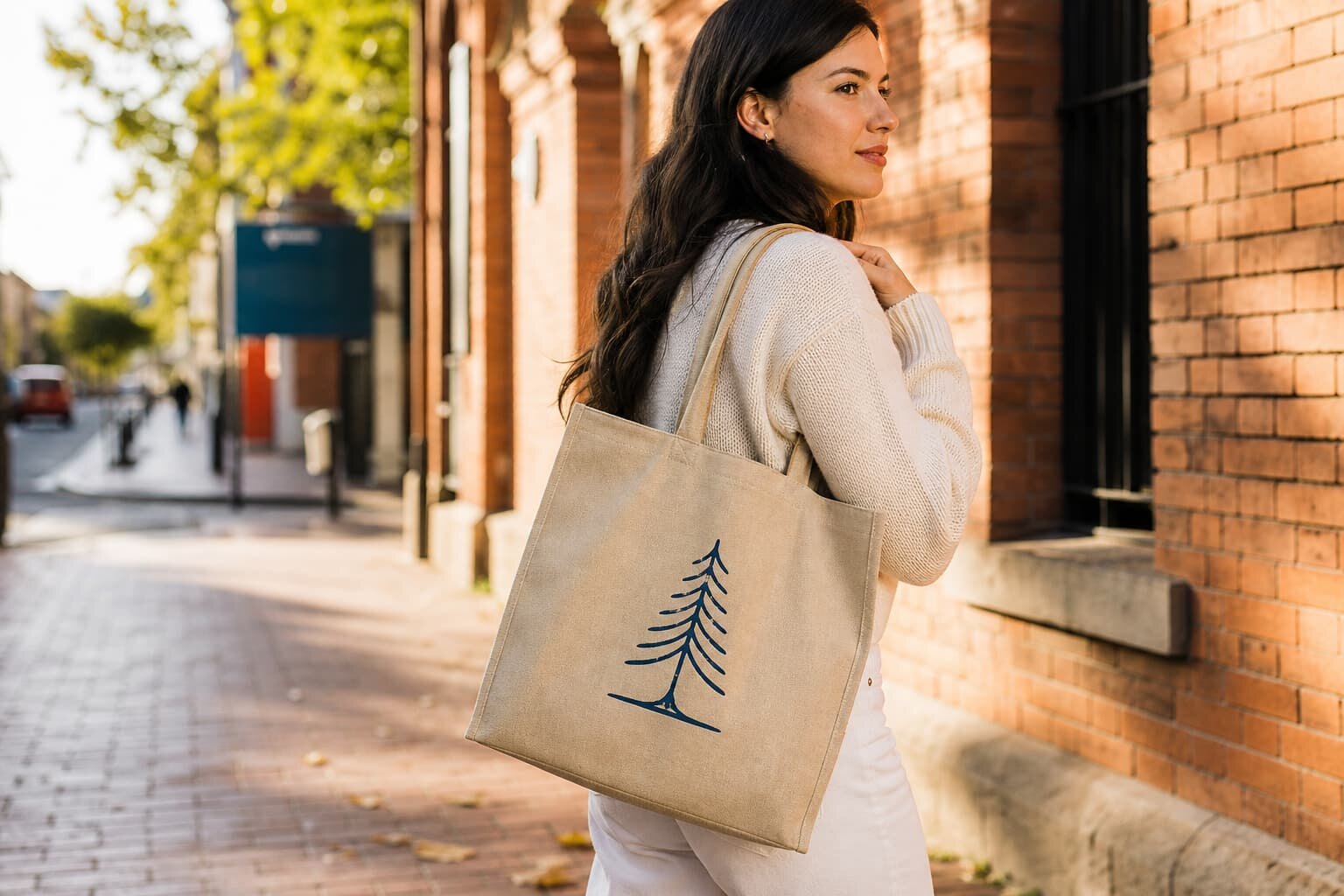
Why logo proofs on canvas totes fail
Most tote bag print problems do not start with the press. They start with a weak proof. Buyers approve a clean artwork file, then receive a bag that looks different because the proof never defined the actual fabric, print size, color target, or placement tolerance. On canvas, a logo can shift visually once it meets the weave, seam line, or handle stitching. If the supplier is quoting from a loose reference and the buyer is judging only by screen images, both sides can believe they agreed when they did not.
A good proof is not just a visual approval. It is a production control document. It should tell the factory what to print, where to print it, how to print it, and what variation is still acceptable. That matters more on canvas tote bags than on smooth packaging because the fabric surface, GSM, and construction all affect the final logo. If you want a clean bulk result, the proof must remove guesswork before screens are made or ink is mixed.
- A proof should lock artwork, size, placement, fabric, and print method together.
- Digital images help alignment, but they do not replace an actual strike-off or sample.
- Small logos and thin text are the first things to fail on coarse canvas.
- If the proof is vague, the quote will also be vague, and the bulk risk rises.
Lock the tote spec before you proof the logo
The first mistake buyers make is asking for a logo proof before the bag spec is final. The same design can look neat on a 10 oz natural tote and rough on a thinner, looser weave. Handle width, gusset depth, seam allowance, and pocket shape also change the print area. A logo positioned too close to a side seam or top hem may distort when the bag is sewn and pressed. The factory needs the finished bag dimensions before it can confirm usable print space.
For most sourcing programs, define the tote body size, fabric GSM, handle construction, and base color before moving to artwork approval. If the order is for retail resale, also define whether the bag must stand up neatly on shelf, fold compactly for shipping, or carry heavier loads. These choices affect the GSM and the stitch package, and they affect how the logo will sit on the fabric. A proof built on an unfinished spec sheet is one of the fastest ways to create rework.
- Confirm body size, gusset, handle length, and handle drop before artwork sign-off.
- Choose the base fabric weight first; 8 to 10 oz, or about 280 to 340 GSM, fits many logo programs.
- Check whether the design sits on one side only or on both sides, because that changes print cost and alignment.
- Keep clear of seams, top hems, and pocket edges when you define print placement.
What a proper proof package should include
A useful proof package should combine visual control and production control. At minimum, ask for the final vector artwork, the print size in millimeters or inches, the exact placement reference, the color method, and the fabric base. If the supplier uses a Pantone target, ask for the code and whether the ink is matched to coated or uncoated stock. If the design includes small text, lines, or reversed type, request a minimum line thickness so the factory can tell you whether the image will hold on canvas.
For first orders, a digital mockup is only the starting point. Better is a fabric strike-off or a pre-production sample made from the actual cloth and the actual print method. That sample should show the same ink density, edge sharpness, and stitching context as bulk goods. If the quote does not specify what kind of proof is included, compare suppliers carefully. Some will only send a screen image; others will provide a real sample that helps you catch problems before bulk production begins.
- Request vector artwork in AI, EPS, or PDF format with fonts outlined.
- Specify logo width, height, and position using fixed measurements, not phrases like medium center.
- State the color target in Pantone or another shared reference system.
- Ask whether the proof includes actual fabric, real ink, and the final sewing construction.
Choose the print method that matches the order
Print method changes both the appearance of the logo and the economics of the quote. Screen print is usually the most predictable choice for canvas tote bags with one to four solid colors. It gives sharp edges and good opacity when the artwork is simple. Heat transfer can work for complex color logos or small runs, but the finish, hand feel, and wear behavior differ from direct print. Embroidery is less common for simple tote branding and can distort lighter canvas, while woven labels are a different decoration route altogether.
The wrong print method creates a quote that looks low at first but costs more later through waste, slower production, or rejected samples. If the brand uses a fine script, ask whether the supplier can hold the minimum stroke width on the chosen canvas. If the logo has gradients or tiny details, ask whether the factory is proposing a simplified version for production. Buyers should compare the method, setup, and expected finish instead of asking only for the cheapest unit price.
- Screen print suits flat logos, retail tote programs, and repeat orders with stable artwork.
- Heat transfer can support complex artwork, but confirm durability and hand feel first.
- Very fine lines may disappear on open-weave canvas, even if they look clear on screen.
- Ask the factory to explain setup cost, screen count, and any extra color charge.
Use print method and fabric together in the proof
The canvas surface changes how ink behaves. A heavier or tighter weave usually supports cleaner edges, while a lighter or looser weave can let color sink into the texture and reduce sharpness. That is why a proof should never be approved on artwork alone. The same one-color logo can look crisp on a 340 GSM tote and slightly broken on a thinner bag. If the bag is natural undyed canvas, the base color can also shift the apparent tone of white, yellow, or pastel inks.
When buyers compare quotes, ask each factory to state the exact fabric weight, yarn quality, and weave style used in the sample. For a retail tote, 280 to 340 GSM is often a practical range because it balances structure, print clarity, and shipping weight. If the bag is intended for heavy carry, premium merchandising, or reuse over many cycles, a heavier fabric may be worth the extra cost. The proof should show the real product behavior, not just the artwork.
- 8 oz or about 280 GSM often suits lighter retail bags and promotional use.
- 10 oz or about 340 GSM usually gives a firmer hand and better print support.
- Fine logos need tighter weave and higher print opacity than bold block graphics.
- Always proof on the actual base fabric color, not a blank white template.
How to inspect the sample and first-off piece
When the sample arrives, inspect it like a production controller, not like a shopper. Measure the bag body, confirm the print placement, and check whether the logo sits square to the seam line and hem. Look at the print under normal light, not only in bright office light. Check the edges of letters, solid fill coverage, and whether the fabric grain distorts the logo more than expected. If the print is multi-color, look for registration drift and color overlap at the same time.
The first-off piece from bulk production deserves the same attention. It is your last chance to stop a problem before the full run is printed. Compare it to the signed sample and the approved proof sheet, then record any variance in writing. If the print looks slightly off, do not assume it will improve later in the run. A real issue on the first piece usually becomes a repeat issue across the lot unless the factory changes the setup immediately.
- Check logo size, placement, and angle against the signed proof sheet.
- Inspect text edges, ink opacity, and any color shift on the actual fabric.
- Verify seam distortion around the print area, especially near gussets and handles.
- Approve bulk only after the first-off sample matches the agreed standard.
MOQ and lead time should follow the proof path
MOQ is not just a factory policy; it is tied to the proof and print setup. A one-color screen print on stocked canvas usually supports a lower MOQ than a multi-color design with special ink matching. If the supplier needs new screens, custom fabric dyeing, or a special packing insert, the order minimum rises because setup waste and line changeover increase. Buyers should ask how MOQ changes by print method, color count, and bag color. That keeps pricing comparable across suppliers.
Lead time should also be broken into stages. A realistic quote should separate artwork confirmation, proof production, sample approval, bulk sewing, printing, packing, and final inspection. For many tote programs, sample turn time may be a few days to two weeks depending on artwork revisions and material stock, while bulk often depends on fabric availability and production load. Ask the supplier to state the lead time from approved sample, not from the first inquiry, so you know what happens after the proof is signed.
- Ask for MOQ by logo version, print color count, and base fabric color.
- Request a separate sample timeline and bulk timeline instead of one blended promise.
- Check whether sample costs are deductible from bulk order value.
- Confirm whether any print setup or screen fee is one-time or repeated per reorder.
Get quote data that lets you compare suppliers
A useful quote should show more than a unit price. Ask for fabric cost, print cost, sewing labor, packing, cartonization, and any special setup charges as separate lines or at least as clear assumptions. If the quote only gives one total number, you cannot tell whether the factory is saving money on fabric, printing, or packing. That makes it hard to compare suppliers fairly, because one quote may include a proper strike-off and another may not.
Request the same data from every factory: tote size, fabric GSM, canvas color, handle spec, logo size, print method, color count, packing method, carton quantity, sample fee, MOQ, and lead time. If your team needs landed cost control, also ask for carton dimensions and gross weight so freight can be estimated. The goal is not to overcomplicate the RFQ. The goal is to make hidden differences visible before you approve the proof and release the order.
- Require a quote that names the fabric GSM and the print method, not just canvas tote.
- Ask whether the price includes one proof round or multiple revisions.
- Check whether the quoted packing matches your retail or distribution plan.
- Compare quotes only after every supplier has answered the same technical questions.
Packing and carton details can change the final approval
Canvas tote bags often fail at the finish line because packing was not included in the proof conversation. A clean logo can still arrive creased, scuffed, or dirt-marked if the inner pack is weak or the carton fill is too loose. If the tote is retail ready, ask whether each bag goes into a polybag, paper belly band, or insert card. If the bag will be distributed in a promotion or wholesale program, ask how the factory counts and bundles the bags to avoid short shipment.
Carton marks matter too. A buyer who needs warehouse accuracy should define carton number, colorway, size, PO number, and quantity per carton. If barcodes or retail stickers are required, the proof should show their placement and legibility. For printed totes, ink can rub if bags are packed too tightly before curing is complete. A strong proof process should cover not only the logo but also the condition in which the bag leaves the factory.
- Define inner pack type so the logo does not rub in transit.
- Confirm master carton count, net weight, gross weight, and carton dimensions.
- Specify carton mark text and barcode location before bulk packing begins.
- Ask for packing photos if the order is for retail launch or urgent replenishment.
Set written acceptance criteria before production starts
The cleanest way to prevent disputes is to approve the proof with written acceptance criteria. State what you will accept for color variance, print position, line sharpness, and seam alignment. If the logo must sit within a certain distance from the top edge or side seam, write that down. If the brand allows slight variation in a hand-printed finish, define the range. Without a written standard, the factory may think it met the request while the buyer sees an avoidable defect.
This is especially important for first orders or new vendors. The proof should end with a sign-off note that names the approved sample date, artwork version, fabric GSM, and print method. That way, if the bulk result drifts later, both sides can compare the run to the same reference. A simple sign-off page often saves more money than a tighter unit price because it reduces rework, chargebacks, and delayed launches.
- Write the allowed tolerance for logo placement and print size.
- State the acceptable color target and whether slight shade variation is allowed.
- Define visible defect limits for ink specks, smudges, and broken edges.
- Keep one signed sample and one signed proof file in your order record.
Specification comparison for buyers
| Spec decision | Recommended option | When it fits | Buyer risk to check |
|---|---|---|---|
| Proof stage | Signed digital mockup plus vector artwork review | Before sample fees or tooling start | Approving size and placement from a JPEG only |
| Color proof method | Pantone callout with a printed strike-off on actual fabric | When brand color accuracy matters | Matching the screen proof instead of the canvas base |
| Print method | Screen print for 1 to 4 solid colors | Most retail and promotional canvas tote orders | Registration drift, poor ink coverage, or coarse weave bleed |
| Fabric weight | 8 to 10 oz, about 280 to 340 GSM, for most logo programs | When you need a balanced hand feel and print clarity | Fine text lost on open weave or show-through on thin fabric |
| Approval gate | Pre-production sample signed against a written spec sheet | New supplier, first order, or new artwork version | Letting bulk start before the sample is physically accepted |
Buyer checklist before sampling
- Confirm bag size, gusset, handle length, handle drop, and seam allowance before sending artwork
- Lock the fabric weight, weave type, and base color so the logo proof reflects the real material
- Provide vector artwork, Pantone references, logo placement, print size, and any minimum line thickness
- Ask for a strike-off or pre-production sample on the actual fabric, not only a digital mockup
- Define the packing format, carton count, inner pack, and carton mark text before bulk starts
- Request MOQ, sample fee, lead time, and whether the sample cost is credited after order confirmation
- Set a written acceptance standard for print edge sharpness, color tolerance, stitching, and clean trimming
- Require photos of the first production piece and final carton labels if the order is time-sensitive
Factory quote questions to send
- What exact proof will you provide: digital mockup, fabric strike-off, or pre-production sample?
- Which fabric GSM, weave, and base color are included in the quote?
- What print method are you pricing, and how many colors or screens does it require?
- What is the exact logo size, placement, and tolerance for shift on the finished bag?
- Is the sample fee separate, and can it be deducted from bulk if the order is confirmed?
- What is the MOQ by color, logo version, and print method?
- What is the lead time for sample approval and for bulk production after approval?
- What packing spec is included: polybag, insert card, inner pack, master carton count, and carton marks?
- What inspection standard do you use for print registration, ink opacity, and stitch quality?
- Can you show the Pantone target or production color reference used for the proof?
Quality-control points to confirm
- Artwork supplied in vector format with clean edges, correct scale, and the final logo version
- Print size and placement measured against the centerline, top edge, and handle attachment points
- Ink opacity checked on the actual canvas so the fabric tone does not show through the logo
- Registration checked on any multi-color logo, especially around thin text and small outlines
- Rub or tape resistance checked after curing so the print does not flake or smear in packing and transit
- Fabric GSM and weave consistency checked across the lot because texture changes print sharpness
- Handle reinforcement, seam stitches, and stress points inspected so the logo area is not distorted
- Carton count, inner pack count, and barcode or carton mark accuracy verified before release