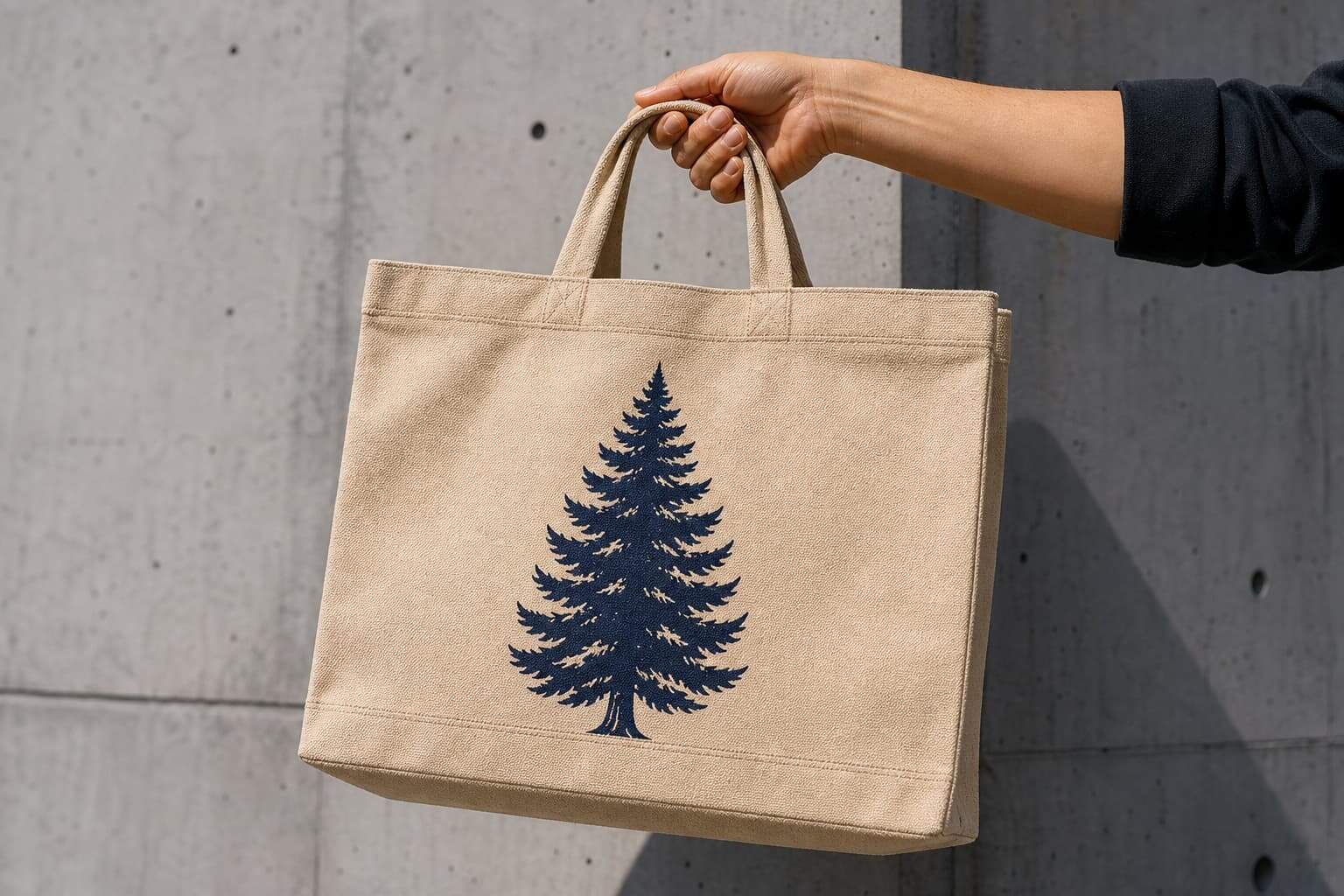
Why artwork placement causes bulk tote bag disputes
Most canvas tote bag artwork problems do not come from the logo file itself. They come from unclear reference points. A buyer may say “center logo on front,” while the factory operator centers from the flat fabric panel, the sewn bag opening, the handle stitch, or the visible face after the gusset is folded. Each method can produce a different result in bulk, even if the artwork size is correct.
For procurement teams and importers, the practical goal is not to design a beautiful mockup. The goal is to make the artwork position measurable, repeatable, and inspectable before production starts. A good placement checklist turns a subjective approval into a production instruction that the sampling room, printing team, sewing line, and final QC team can all follow.
- Use finished bag measurements, not only flat artwork mockups.
- Measure placement from seams and top opening, not from visual guesswork.
- Define safe zones before confirming artwork size.
- Approve a physical sample when the order is new, high value, or retail facing.
- Record tolerance before mass production, not after a defect claim appears.
Start with the bag construction before fixing the logo
Artwork placement depends on the tote construction. A flat tote, bottom-gusset tote, side-gusset tote, box-bottom tote, and heavy canvas shopper do not present the front panel in the same way when filled. A logo that looks centered on a flat digital template may look too low once the bag has weight inside, or too close to the bottom when the gusset opens.
Before sending artwork, confirm the finished size and construction in the RFQ. For example, “38 W x 42 H cm, no gusset, 10 oz natural cotton canvas” gives the supplier a different print planning situation than “38 W x 35 H x 12 bottom gusset cm, 12 oz dyed canvas.” The gusset and handle attachment area reduce the safe print zone, and this should be reflected in the artwork placement.
- Flat tote: easiest for centered front prints, but bottom fold can still create crease risk.
- Bottom-gusset tote: keep artwork higher so it does not bend into the base when filled.
- Side-gusset tote: avoid artwork extending near vertical gusset folds.
- Box-bottom tote: treat the visible front panel as smaller than the full fabric piece.
- Heavy canvas shopper: allow for thicker seams and less flexible folding.
Choose fabric weight with print stability in mind
Canvas tote bags are commonly quoted by ounce weight, such as 8 oz, 10 oz, 12 oz, 14 oz, or 16 oz. Some suppliers may also reference GSM, depending on the market and mill. As a rough buying reference, 8 oz canvas often fits budget event bags, 10-12 oz fits many branded retail and promotional bags, and 14-16 oz fits heavier reusable shoppers or premium merchandise.
Fabric weight affects artwork placement because heavier canvas is more stable during printing, but it is also bulkier at seams and harder to fold cleanly. Lighter canvas may shift more easily during printing, show more ink penetration, and look less structured in product photos. If your brand position depends on a clean, centered logo, do not treat GSM as only a cost line. It is part of the print quality decision.
- 8 oz canvas: lower cost and lighter freight, but less structure and more show-through risk.
- 10 oz canvas: common balance for promotional and light retail tote bags.
- 12 oz canvas: stronger handfeel and better shelf value for many brand programs.
- 14-16 oz canvas: premium feel, but higher material cost, thicker sewing, and possible MOQ impact.
- Dyed canvas: check color contrast and print opacity before approving bulk.
Set the artwork safe zone, not only the artwork size
A print size such as “220 x 180 mm” is not enough. The factory also needs to know where that rectangle sits on the finished bag. A practical safe zone protects the logo from seams, handle stitching, bottom folds, gusset folds, and packing creases. For many standard canvas totes, buyers should keep the main artwork at least 25-35 mm from side seams and 45-60 mm from the bottom seam, unless the factory confirms another safe limit on the actual bag construction.
The top clearance also matters. If the logo sits too high, it can fight visually with the handle reinforcement stitching or disappear when the bag opening bends outward. If it sits too low, the logo may look unbalanced when the bag is carried. For retail buyers, the best approval is usually a front-view sample photo with a ruler showing distance from top opening to artwork top, side seam to artwork edge, and bottom seam to artwork bottom.
- State artwork width and height in millimeters.
- State distance from top opening to top of artwork.
- State distance from left and right side seams to artwork edges.
- State distance from bottom seam to bottom of artwork.
- Mark whether placement is for front only, back only, both sides, or side panel.
- Include a tolerance such as +/-5 mm or another factory-confirmed limit.
Match the print method to the artwork and order quantity
Screen printing is often the most practical method for solid logos, one-color graphics, and repeat bulk orders. It gives strong coverage on cotton canvas and can be economical when the artwork and color count are stable. However, screens, setup time, and color registration all affect cost. If you have five bag colors and four print colors, the supplier needs to quote the setup logic clearly instead of hiding it inside a unit price.
Heat transfer, digital print, embroidery, woven labels, and sewn patches can all be valid, but each changes placement risk. Heat transfer can handle complex graphics and smaller MOQs, but the handfeel and edge durability must be checked. Embroidery looks premium but may pucker lighter canvas and cannot reproduce tiny text cleanly. Woven labels or side labels work well for subtle branding, but their placement depends on sewing workflow.
- Screen print: good for solid logos, repeat programs, and larger quantities.
- Digital print: useful for complex artwork, but test color and texture on canvas.
- Heat transfer: flexible for smaller runs, but check cracking and edge adhesion.
- Embroidery: premium look, but confirm stitch count, backing, and pucker risk.
- Woven label or patch: suitable for retail branding where a large front print is not needed.
Understand MOQ logic before splitting artwork versions
MOQ is not only about the number of bags. It can be affected by fabric color, fabric weight, print method, artwork version, label type, handle color, and packing style. A buyer may request 1,000 bags total with five artwork versions, but the factory may need to set up five screens, five print runs, and separate inspection stacks. The unit price and lead time will not behave like one simple 1,000-piece order.
To compare supplier quotes fairly, ask each factory to show how MOQ is calculated. If the same natural 10 oz canvas body is used across all versions, the material MOQ may be manageable, but the printing MOQ and setup charges may still apply per artwork. For distributors and retail buyers managing multiple store designs, this detail prevents later arguments over screen charges, overrun quantities, and mixed carton packing.
- Ask for MOQ per fabric color.
- Ask for MOQ per artwork design.
- Ask for MOQ per print method and print color count.
- Ask whether setup charges are per order, per color, or per artwork.
- Ask whether mixed artwork can be packed in one carton or must be separated.
- Ask whether reorder pricing changes when only one artwork version repeats.
Approve the sample like a production control document
A pre-production sample should not be treated as a sales sample only. It should become the control document for bulk production. The sample approval should include bag size, fabric weight, fabric color, handle length, stitch details, artwork size, artwork position, print method, print color, label placement, and packing fold. If the buyer only approves a nice-looking sample photo, the factory may not have enough measurable data for the production line.
For artwork placement, request ruler photos from the factory. One photo should show the full front panel. Additional close photos should show the measurement from top opening to artwork top, side seam to artwork edge, and bottom seam to artwork bottom. If the tote has a gusset, ask for one photo with the bag opened or lightly filled so you can see whether the print stays on the intended visible panel.
- Keep one approved physical sample at the factory and one with the buyer if timing allows.
- Sign or tag the approved sample to prevent confusion with earlier versions.
- Attach the final artwork file name and date to the approval record.
- Confirm whether bulk must match the sample exactly or within written tolerances.
- Do not approve bulk production from a digital mockup alone for first orders.
Control packing so the artwork survives shipment
Packing can damage a correct print if it is not planned. Canvas tote bags are often folded to reduce carton volume, but the fold line may cross the printed logo. On some inks and transfer films, a hard fold can leave a visible crease, especially if the bags are packed before full curing or stacked under pressure in humid conditions.
For retail buyers, the packing decision should be part of the artwork placement checklist. Flat packing uses more carton space but protects appearance better. Folded packing may reduce freight volume but needs a fold test on the approved sample. If individual polybags, belly bands, hangtags, or barcode stickers are required, confirm that they do not cover the logo or leave adhesive marks on the canvas.
- Confirm flat pack, half fold, tri-fold, or roll pack before final quote.
- Check whether fold lines cross printed artwork.
- Confirm curing time before packing printed bags.
- Specify inner quantity, carton quantity, and mixed design rules.
- Confirm barcode, hangtag, and care label positions.
- Request packed sample photos if the order is retail or e-commerce ready.
Build quote data that lets procurement compare suppliers
A useful canvas tote bag quote should include more than a unit price. Procurement teams need enough detail to compare whether suppliers are quoting the same product. One factory may quote 8 oz natural canvas with a simple one-color screen print, while another quotes 12 oz dyed canvas with reinforced handles and inside label. Without line-by-line quote data, the lower price may simply be a different bag.
Ask for the quotation to repeat the technical assumptions: finished size, fabric weight, fabric color, handle size, stitch style, print method, print size, print position, number of print colors, label details, sample cost, tooling or screen cost, MOQ, production lead time, packing method, carton size, gross weight, and incoterm. This helps your team identify missing costs before purchase order approval.
- Separate bag body cost, print setup, label cost, and special packing where possible.
- Confirm whether sample cost is refundable or separate from bulk cost if relevant.
- Check whether lead time starts after deposit, artwork approval, fabric approval, or sample approval.
- Ask for carton dimensions and estimated CBM for freight comparison.
- Confirm whether the quote allows normal production overage or shortage.
- Record the exact artwork file name used for the quote.
Use acceptance criteria before final inspection
Final inspection is easier when acceptance criteria are written before production. For artwork placement, the inspector should not decide by personal opinion. They should measure the printed position against the approved sample or placement sheet. If the agreed tolerance is +/-5 mm, the inspection can classify defects more consistently. If no tolerance is written, every off-center discussion becomes subjective.
Quality control should also check the surrounding tote bag details because they influence how the artwork looks. A perfect print on a twisted bag, uneven handle, slanted seam, or mismatched fabric shade is still a commercial problem. For bulk buyers, the best inspection record combines artwork placement checks with fabric, sewing, handle strength, print durability, and packing checks.
- Measure a reasonable sample size from different cartons and production batches.
- Check front and back placement separately if both sides are printed.
- Compare print color under consistent lighting, not mixed warehouse light.
- Rub test or tape test only according to an agreed method, not improvised pressure.
- Open folded bags to check crease marks, ink transfer, and packing pressure.
- Keep defect photos with ruler references for any claim discussion.
Specification comparison for buyers
| Spec decision | Recommended option | When it fits | Buyer risk to check |
|---|---|---|---|
| Front logo position | Center artwork on bag body, measured from top opening and side seams, not from handle edge | Most retail, event, and brand merchandise tote bags where logo balance matters on shelf and in use | If the factory centers by eye or from the handle stitch, the logo may look low, high, or off-center after sewing tolerance |
| Print area size | Keep main artwork inside a safe zone with at least 25-35 mm from side seams and 45-60 mm from bottom seam | Screen print, heat transfer, and DTG artwork on flat tote panels before or after sewing | Large artwork may distort near seams, crease at bottom fold, or be partly hidden when the bag is filled |
| Fabric weight | 10-12 oz canvas for structured promotional or retail tote; 8 oz for budget event bags; 14-16 oz for premium reusable bags | Orders where print sharpness, bag drape, and perceived value must match the retail channel | Thinner fabric can show print strike-through and less stable placement; heavier fabric may need higher MOQ and longer sewing time |
| Print method | Screen print for solid color logos, heat transfer for complex small runs, embroidery or woven label for premium branding | Different artwork types, MOQ levels, and durability requirements | Wrong print method can increase cost, reduce wash resistance, or fail on coarse canvas texture |
| Sample approval | Approve a physical pre-production sample with ruler photo, artwork file, Pantone reference, and tolerance statement | Any first order, retail launch, franchise program, or distributor repeat SKU | A photo-only digital mockup does not prove real print size, handle clearance, or fabric absorption |
| Packing method | Flat pack or folded pack confirmed after checking whether fold lines cross the artwork | Retail orders, e-commerce cartons, and event distribution shipments | Wrong folding can crease ink, transfer print, or make the logo look damaged at unpacking |
Buyer checklist before sampling
- Confirm finished bag size as width x height x gusset, and state whether measurements are taken before or after washing if washed canvas is requested.
- Specify fabric type and weight, such as 8 oz, 10 oz, 12 oz, or 14 oz cotton canvas, plus natural, bleached, dyed, or recycled content if relevant.
- Provide artwork as editable vector files for logos and high-resolution files for images, with font outlines and Pantone or CMYK references.
- Define artwork placement using measurements from fixed bag points: top opening, left side seam, right side seam, bottom seam, and handle stitch line.
- Set a print safe zone with minimum clearance from seams, gusset folds, bottom corners, and handle reinforcement stitching.
- State print method preference or ask the factory to recommend screen print, digital print, heat transfer, embroidery, woven label, or patch based on artwork and order quantity.
- Request a pre-production sample showing exact fabric, exact artwork size, exact placement, and the approved packing fold.
- Ask for placement tolerance in writing, such as +/-5 mm for normal screen print on sewn canvas bags, if acceptable for your program.
- Confirm whether printing is done before sewing or after sewing, because this affects alignment, seam clearance, MOQ, and defect risk.
- Check carton packing, inner polybag requirement, fold direction, barcode label position, and whether any fold line crosses the printed artwork.
Factory quote questions to send
- What fabric weight, construction, and shrinkage allowance are you quoting for this canvas tote bag?
- Will the artwork be printed before sewing or after sewing, and why is that method suitable for this artwork placement?
- What is the maximum recommended print area for this bag size without distortion near seams or gusset folds?
- What placement tolerance can your production team hold in bulk, and how will it be checked during inline inspection?
- Which print method are you quoting, and what are the setup charges, screen charges, color limits, or minimum run requirements?
- Does the quoted MOQ change if we use dyed canvas, heavier GSM, embroidery, inside labels, or different artwork on multiple SKUs?
- Can you provide a pre-production sample with ruler photos showing distance from top opening, side seam, bottom seam, and handle stitch?
- What is the sample lead time, bulk production lead time, and extra lead time if fabric dyeing or special packing is required?
- How will bags be folded and packed, and will the fold line touch or cross the logo print?
- What quote data is included: finished size, fabric GSM or oz, handle size, print size, print position, packing, carton quantity, gross weight, and incoterm?
Quality-control points to confirm
- Measure artwork position on finished bags from the same fixed reference points used in the approved sample.
- Check that printed artwork remains inside the approved safe zone and does not touch side seams, bottom seam, gusset fold, or handle reinforcement stitching.
- Compare print color against the approved sample or Pantone target under consistent lighting, especially on natural or dyed canvas.
- Inspect print sharpness, pinholes, ink coverage, cracking, heat marks, and fabric show-through on both light and dark canvas.
- Verify bag size, fabric weight feel, handle length, handle placement, stitch density, bartack strength, and thread color against the specification.
- Confirm packing fold direction, inner bag count, carton labeling, barcode location, and whether ink transfer or crease marks appear after packing.