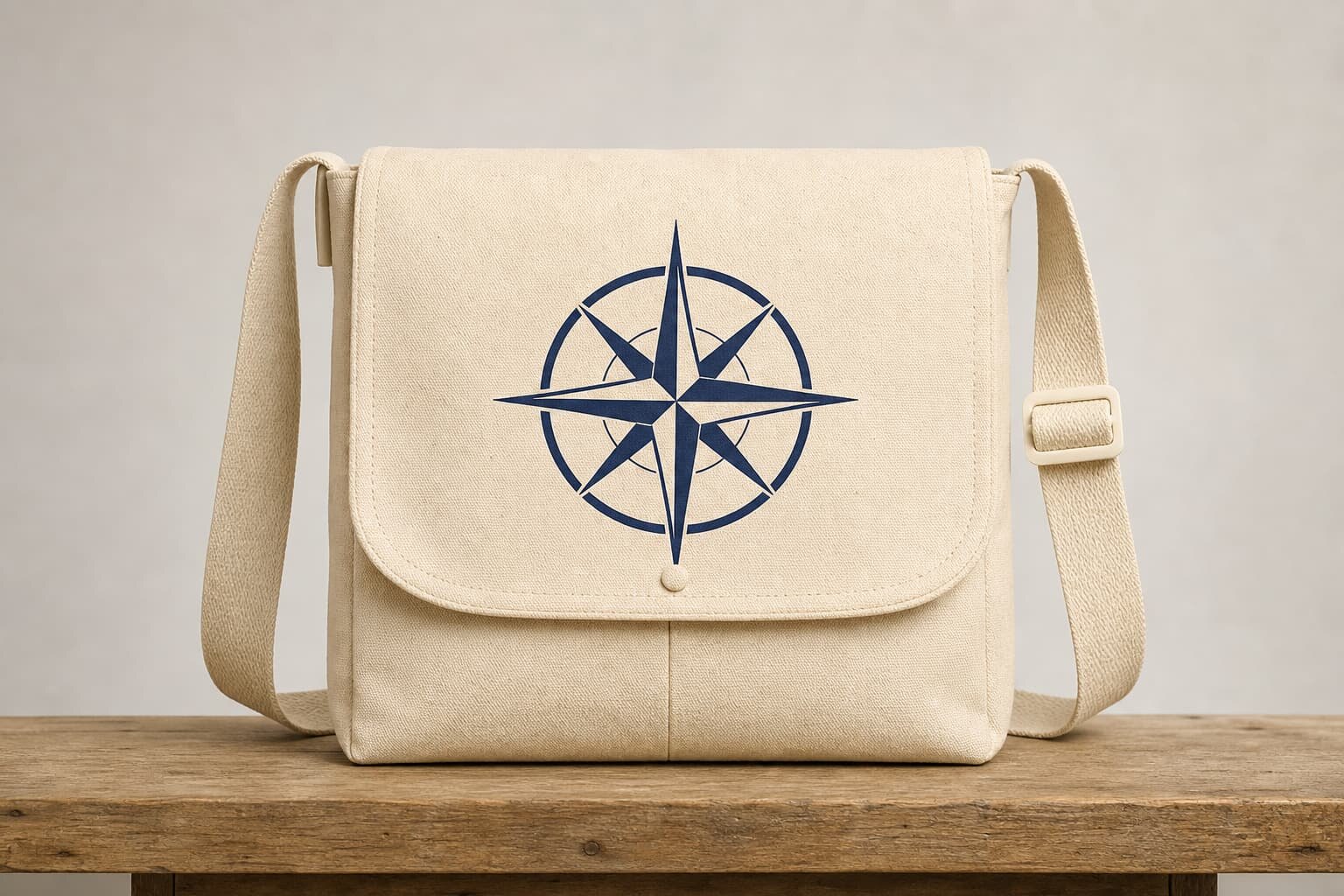
Why logo printing causes so many canvas business bag quote errors
The bag body and the logo are often quoted as if they are separate decisions. In production, they are not. A canvas business bag with a front pocket, flap, zipper section, webbing trim, and reinforced seams creates limits on where a logo can sit and how cleanly it can print. If the buyer sends only artwork and a bag photo, most factories will price the easiest likely method, not the method that best protects your brand result. That is why a cheap quote often becomes a revised sample, a higher unit price, or a compromised logo after approval.
The main buying problem is simple: buyers want a logo that looks sharp, durable, and on-brand, but they do not always define the print surface well enough for a factory to cost it correctly. On canvas messenger and business bags, fabric weight, weave texture, panel construction, and sewing sequence all affect the final logo. A good RFQ closes those gaps before sampling so the factory can quote the right process on the first round.
- A flat tote panel is easier to print than a business bag with pockets, piping, and padded sections.
- Natural canvas absorbs ink differently from dyed, washed, or coated canvas.
- Large logos look cheaper on textured heavy canvas if fill coverage is uneven.
- Post-sew printing saves some setup steps but usually gives looser placement control.
Start with the canvas spec before you choose the logo method
For canvas business bags, fabric weight should be confirmed early because it changes both bag appearance and logo performance. Many business-style messenger bags use 12 oz, 14 oz, or 16 oz canvas, roughly around 407 GSM, 475 GSM, and 542 GSM. Lighter 10 oz to 12 oz fabric can work for promotional or entry-price programs, but it tends to show more panel movement and wrinkling after sewing, especially on larger front logos. Heavier 14 oz to 16 oz canvas gives better structure and a more stable print field, but it costs more, adds freight weight, and can require stronger needle and seam settings during assembly.
Surface finish matters just as much as weight. Natural undyed canvas gives the cleanest classic print look, but the base shade can vary lot to lot. Dyed canvas needs color fastness control and may need an underbase for light logos on dark grounds. Washed canvas gives a softer hand and retail look, but the texture becomes less uniform, which can soften print edges. If a buyer wants a crisp corporate mark, an unwashed, tighter woven panel is usually safer than a heavily washed fashion finish.
- Typical business bag body weights: 12 oz to 16 oz canvas.
- Ask whether quoted GSM is finished weight or greige weight.
- Confirm if the logo panel includes foam, lining, or interfacing behind it.
- For dark colors, ask whether opacity requires a white underbase layer.
Choose the logo method by artwork detail, panel shape, and order size
Screen printing is still the most practical method for many bulk canvas business bag programs. It gives solid coverage, manageable cost, and consistent color when the artwork is simple and the panel is reasonably flat. It works best for one or two solid colors, moderate logo sizes, and orders where the same art repeats across enough units to justify setup. Buyers should not assume that screen print always means sharp detail, though. On textured canvas, thin strokes, small reversed text, and large flood areas can all degrade if the mesh, ink deposit, or curing is not matched to the fabric.
Heat transfer or digital transfer makes sense when the logo contains gradients, many colors, or very fine detail that would be impractical in screen printing. The trade-off is hand feel and durability risk. Transfers can look slightly more artificial on natural canvas and may crack or lift on fold points if the application area is not stable. For understated business branding, sewn woven labels or logo patches are often a better fit than large prints. They increase sewing complexity, but they avoid some print limitations and can look more premium in B2B gifting or retail programs.
- Screen print fits solid logos and larger bulk runs.
- Transfer fits complex art but needs more durability checking.
- Woven labels suit small logos and cleaner brand presentation.
- PU or leather patches add premium look but also added labor and tolerance variation.
Define logo placement with production measurements, not visual guesses
Many logo disputes come from a simple approval mistake: the buyer approved a sample photo, but no one agreed on measurable placement points. On a canvas business bag, the apparent center of the front panel may not be the sewing center because of gussets, pockets, zippers, flaps, or asymmetric hardware. A factory needs fixed references such as distance from top seam, side seam, zipper tape, or pocket stitch line. Without those points, each production operator may center the logo slightly differently, and the variation will still be considered acceptable from a factory perspective.
Placement should also account for how the bag is seen in use. A front flap print may look perfect on a flat sample table but disappear visually when the strap is worn across it. A logo printed on a front pocket can distort when the pocket is filled. The most reliable approach is to approve both a technical placement drawing and a physical sample photo. Buyers sourcing for retail should also ask for one hanging photo and one worn-angle photo during sampling to see how the mark reads in normal use.
- Specify logo size in millimeters, not approximate percentages.
- Use a measurement note such as 35 mm below top seam and centered between side seams.
- Set a placement tolerance, for example plus or minus 3 mm for flat pre-sew printing and wider if post-sew.
- If the bag has a flap, approve whether the logo sits on flap, body, pocket, or side label.
How MOQ really works for printed canvas business bags
MOQ for logo printing is not only about total bag quantity. It is driven by how many separate setups the factory must run. A one-color screen print on one natural canvas color is straightforward. The same bag in four body colors, two logo versions, and split packaging for multiple markets is not. Buyers often see an attractive MOQ on the bag style itself, then learn later that the print process has separate setup charges or higher minimums by artwork, by colorway, or by print location. This is normal in factory costing and should be made visible in the quote.
If you are testing a market, ask for a ladder quote with at least three quantity breaks and clear notes on what changes between them. For example, the per-piece cost may drop after the screen setup cost is spread across more units, but only if all units share the same artwork and print size. A woven label or debossed patch may have a different MOQ logic because label weaving or patch mold development is handled by a separate supplier. Knowing this early helps procurement teams compare quotes fairly instead of assuming every factory is quoting the same commercial structure.
- Ask MOQ by SKU, by colorway, and by logo version.
- Separate one-time setup cost from repeat-order unit cost.
- Check whether overs and unders tolerance applies to each SKU or the total order.
- If you need mixed artwork, ask whether the factory can gang production without restarting full setup each time.
What to include in the RFQ so the first quote is usable
A usable quote for a canvas business bag logo program needs more than dimensions and artwork. The factory should know the body fabric weight, color, lining requirement, hardware finish, print method preference, print size, print location, sample standard, and packing requirement. If you leave out any of these, the quote becomes a placeholder rather than a decision tool. That may be acceptable in early market scanning, but not when you are comparing suppliers for a program launch or annual replenishment contract.
The fastest way to improve quote quality is to ask suppliers to cost the logo area as a production process, not just as a graphic. For example, request a split line for bag body cost, logo setup cost, per-piece logo application cost, sample charge, and packing adder. This reveals whether one factory is cheaper because of actual efficiency or simply because they assumed a lighter fabric, smaller print, or looser packing standard. It also prevents friction later when the buyer asks for revisions that should have been visible from the start.
- State canvas spec in both oz and approximate GSM when possible.
- Include artwork file type and note whether Pantone matching is mandatory.
- Ask for quote validity period if cotton and dye costs are volatile.
- Request carton pack count and carton dimensions target with the quote.
Sample approval checks that catch most logo problems early
The pre-production sample is where most preventable logo issues should be caught. Buyers should check not only whether the logo looks acceptable on a desk, but whether it behaves correctly on the finished bag. Open and close the flap, fill the bag lightly, adjust the shoulder strap, and bend the front panel where normal use will create stress. Some logo methods look fine flat but fail when the bag folds or rubs. This matters especially for front-panel business bags carried in daily commuting environments.
A proper sample review should include both aesthetics and measurement. Confirm the logo size, position, edge clarity, color, and texture against the approved artwork and color standard. If the canvas is natural, expect some surface variation, but do not ignore obvious pinholing, broken fill, or fuzzy edges. If the factory proposes that bulk production will be better than the sample, ask what exactly changes in the production setup. Without that explanation, buyers should treat the sample as the most likely bulk result.
- Review the sample under daylight, not only factory indoor lighting.
- Check edge sharpness on letters, corners, and negative spaces.
- Rub the printed area with a dry white cloth to see if curing is incomplete.
- Measure print placement from fixed seams and compare to the tech note.
- If using transfers, fold the panel several times to check for whitening or lifting.
Packing and shipping details that protect the logo in transit
Packing is often treated as a freight topic, but it directly affects logo quality on arrival. Freshly printed canvas surfaces can scuff, offset, or block together if bags are stacked face to face without enough cure time or separation. This risk increases in humid export conditions, especially when dark inks, large coverage, or transfer films are used. For business bags with structured fronts, over-compressed cartons can also bend the print panel and leave permanent stress marks before the goods even reach the destination warehouse.
Buyers should ask for packing to match the logo process, not just the bag shape. An individual polybag may be enough for small woven labels, while a large front screen print may benefit from a thin interleaf sheet between contact surfaces. Retail buyers may prefer dust bags or recycled poly alternatives, but those still need to prevent abrasion. Carton pack count should balance freight efficiency with panel protection. A lower carton quantity sometimes reduces claim risk more than it adds cost.
- Confirm whether bags are packed flat, stuffed, or folded at the flap.
- Ask if printed faces touch each other inside the carton.
- Set carton gross weight targets to avoid crushing structured front panels.
- Request one packed carton photo and one drop-open carton photo before shipment.
Lead time planning for artwork approval, printing, and bulk production
Lead time for a printed canvas business bag is not just sewing time. The sequence usually includes artwork review, possible logo process recommendation, strike-off or test print, pre-production sample, material booking, cutting, printing, curing or patch preparation, sewing, final inspection, and packing. If the buyer compresses the timeline without understanding those stages, the factory may protect the ship date by cutting corners on sample iterations or cure stability. That is exactly when logo defects show up in bulk.
For planning purposes, buyers should ask each supplier to break lead time into milestones instead of giving only one final ship estimate. This shows where the real bottleneck is. For example, natural canvas in stock may be fast, but a custom dyed 16 oz fabric with Pantone matching can extend material lead time. A woven label or embossed patch may add an external vendor step. Getting this detail early helps procurement teams decide whether to simplify the logo method, split deliveries, or approve a backup option.
- Ask for separate timing for sample development and mass production.
- Confirm whether printing is done in-house or outsourced.
- Check if logo setup can start before final bag sample approval.
- Plan extra buffer if the order includes dyed canvas, custom hardware, or multiple logo applications.
A practical cost breakdown for comparing supplier quotes
When two factories quote the same bag style with a different logo cost, the variance usually comes from one of five areas: fabric assumption, logo method, setup charge treatment, labor content, or packing standard. Procurement teams should ask each supplier to show those elements in separate lines wherever possible. This does not mean every factory will reveal full internal costing, but most can split the quote enough for buyers to see whether the offer is commercially comparable. Without that split, a low price may hide lower fabric weight, smaller logo size, or a less durable application method.
A useful comparison framework is to review the base bag cost, logo setup cost, per-piece logo cost, sample cost, packaging adder, and any compliance or testing adders separately. Then compare those lines against the approved spec. If one supplier is high on setup but low on repeat order cost, that may still be the better long-term source for a replenishment program. If another is cheap on the first run because they assume post-sew printing with looser placement tolerance, that may not fit a retail-facing brand standard.
- Ask whether setup cost repeats on reorder or only when artwork changes.
- Confirm if the quote includes wastage from print testing and startup loss.
- Check whether price assumes standard export carton or retail-ready inner packs.
- If comparing FOB offers, verify they use the same port and Incoterm basis.
Specification comparison for buyers
| Spec decision | Recommended option | When it fits | Buyer risk to check |
|---|---|---|---|
| 12 oz to 16 oz canvas body fabric | 12 oz for promo and lighter daily use; 14 oz to 16 oz for structured business bags | Use lighter canvas when cost and lower freight matter; use heavier canvas when the bag needs a flatter print area and better shape retention | If fabric is too light, large front logo panels can ripple after stitching and make print registration look off-center |
| Solid 1-2 color front logo | Screen printing | Best for medium to large logo area on plain canvas panels before sewing | Confirm Pantone target, print position tolerance, and whether print is done pre-cut or post-sew because seams and pockets change alignment |
| Small detailed mark or fine lines | High-density screen print or heat transfer depending on art detail | Use when line thickness is too fine for standard screen mesh | Ask for minimum printable line width and check whether edges fill in after curing on textured canvas |
| Premium understated branding | Woven label, embossed PU patch, or debossed leather patch sewn onto bag | Fits corporate gifting, retail, and business bag programs that do not want a large printed face logo | Patch attachment adds sewing steps and can shift on curved pockets; confirm stitch count, edge finishing, and color fastness of patch material |
| Multi-color gradient artwork | Heat transfer or digital transfer on a dedicated flat panel | Use only when brand artwork cannot be simplified for screen print | Transfers can crack, feel plastic, and age differently from canvas; request rub test and bend test on bulk fabric |
| Dark canvas with light logo | Discharge-like look is not reliable on heavy canvas; use opaque screen print with underbase if needed | Good for black, navy, or dyed canvas messenger bags | Underbase thickness affects hand feel and may reduce the natural canvas look buyers expect |
| MOQ for custom print setup | Lower MOQ on 1-color screen print; higher MOQ on custom patch or transfer with multiple process steps | Useful when testing a new market or pilot order | Some factories quote low MOQ but hide setup cost in sample charges or per-piece print adders |
| Packing for logo protection | Individual polybag or recycled dust bag with interleaf sheet if print is fresh and large | Needed for stacked export cartons with face-to-face contact | Without interleaf or cure time, logo surfaces can offset, scuff, or block together in humid shipment conditions |
Buyer checklist before sampling
- State the exact bag style: messenger or business shoulder bag, finished size, gusset width, pocket layout, flap or zipper closure, and shoulder strap construction.
- Specify canvas weight in oz or GSM and whether the fabric is natural, dyed, washed, coated, or laminated because logo results change by surface texture.
- Provide the logo method you prefer or ask the factory to quote two methods side by side: screen print, transfer, woven label, or patch application.
- Attach vector artwork and define print size in millimeters, print location, Pantone references, and whether the logo must sit centered to the pocket, panel, or flap.
- Ask whether the logo is printed on cut panels before sewing or on finished bags after sewing, then confirm the position tolerance for each method.
- Request sample photos under normal light, close-up fabric texture shots, and one photo showing the full front panel so you can judge placement accurately.
- Confirm MOQ by colorway and by logo version, not just total order quantity, because mixed artwork often changes setup cost and production flow.
- List packing requirements: polybag or dust bag, barcode label, carton quantity, carton dimensions target, and whether printed faces need tissue or interleaf protection.
- Set approval points for pre-production sample, print strike-off, bulk color lab dip if dyed canvas, and final carton marking before shipment.
- Include acceptance criteria for logo coverage, edge sharpness, print adhesion, and allowable deviation in logo position from approved sample.
Factory quote questions to send
- Which logo process do you recommend for this artwork on this exact canvas weight and color, and why?
- What is the minimum and maximum printable area on the selected bag panel before seams, pockets, and folds affect quality?
- Will you print on flat cut panels or on sewn bags, and what position tolerance can you hold in mass production?
- What mesh count, ink type, and curing method will you use for screen printing on this fabric?
- If using heat transfer, what film or transfer type is used, and what bend, rub, and wash limitations should we expect?
- How does MOQ change by logo color count, fabric color, and number of SKUs in the order?
- Please separate sample fee, screen or mold setup fee, patch development cost, and per-piece logo cost in the quotation.
- What lead time is needed for artwork check, pre-production sample, material booking, printing, sewing, and final packing?
- What packing method do you use to prevent logo offset, scuffing, or sticking during shipment in humid conditions?
- Can you share bulk QC photos of logo placement, edge clarity, and carton packing from similar canvas business bag orders without disclosing client names?
Quality-control points to confirm
- Check actual canvas weight against approved spec and confirm the same base fabric was used for the print strike-off and production run.
- Measure logo placement from fixed construction points such as top edge, side seam, zipper line, or pocket stitch line instead of estimating by eye.
- Verify Pantone shade under normal daylight and compare the first 20 pieces from each print run to the approved standard.
- Inspect ink coverage on textured canvas for pinholes, broken fill areas, fuzzy edges, and over-thick deposits that crack when folded.
- Test rub resistance with a dry white cloth and a slightly damp cloth on a cured sample before bulk packing starts.
- Fold the bag naturally at the front panel and flap to see whether the logo cracks, transfers, or whitens under normal handling.
- Check label or patch attachment security: stitch density, skipped stitches, edge lifting, and whether needle holes damage coated logo patches.
- Inspect mixed cartons for logo direction consistency, especially if bags are packed face to face or alternated to save space.
- Open top, middle, and bottom cartons after 24 hours to confirm no blocking, offset, or abrasion marks developed after compression.
- Record carton count, packing ratio, gross weight, and carton dimensions because overpacked cartons can distort the printed face panel.